

Appointments
Book customer appointments by clicking a free time slot on a booking grid — no typing dates by hand.
Where you find it: the Sales sidebar group. Available as an optional module, added to any solution on request only; shown by the Accounting and All lenses (the whole Sales group).
The tour in pictures
What you can do
Appointments
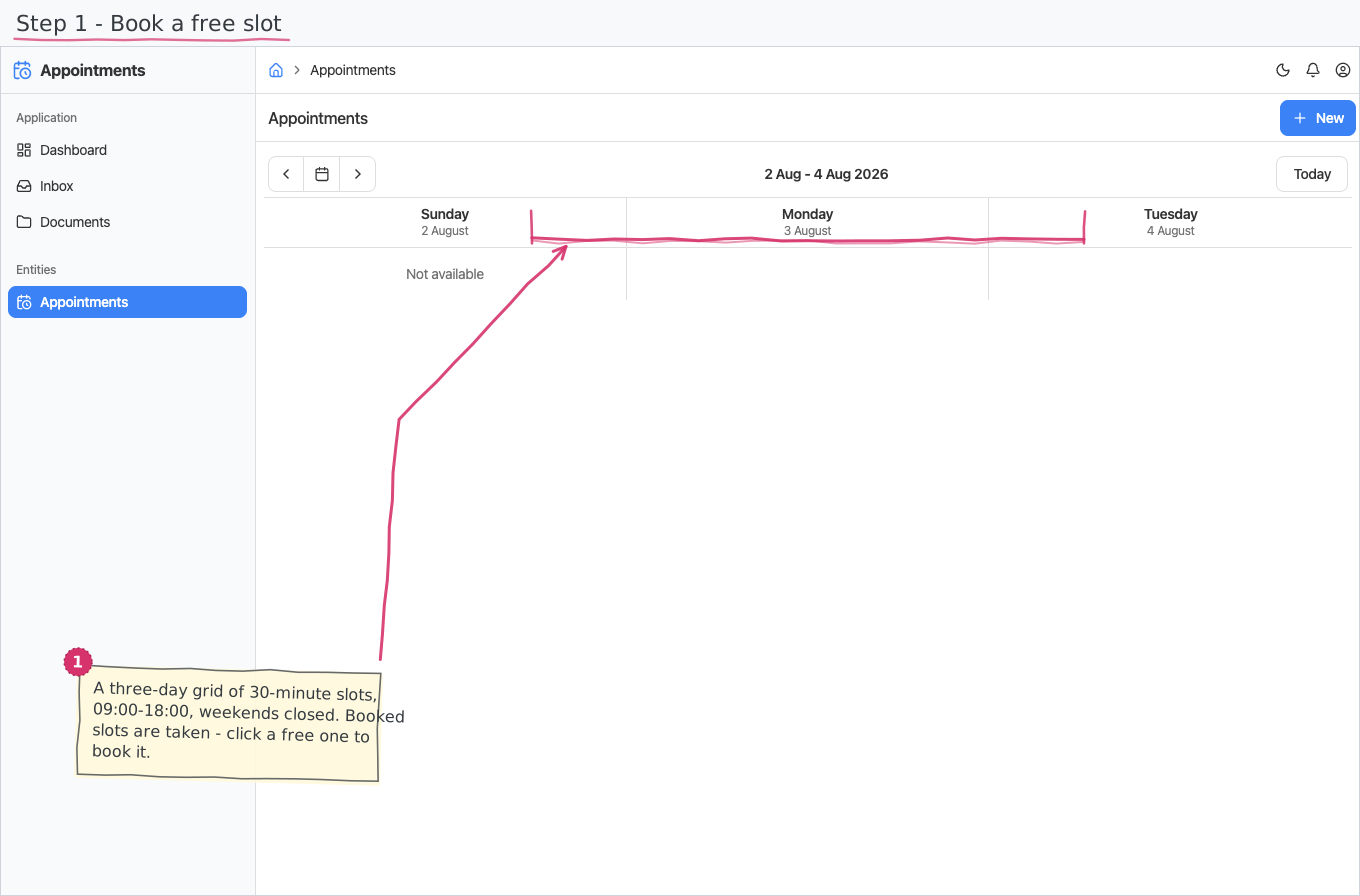
The page is not a plain list — it opens as a slot picker: a three-day grid of 30-minute slots between 09:00 and 18:00, with weekends closed.
- Book — click a free slot; the create form opens with the chosen date and time already filled in. You pick the Customer (required), optionally the Employee the appointment is with (a one-desk business simply leaves it empty), and add a short note.
- Busy slots — existing appointments mark their slots as taken on the grid, so double-booking a slot is visible at a glance.
That is the whole module — no workflow, no numbers, no line items.
Reports & dashboard
None.
Settings
Nothing — the module adds no Settings-page entries.
Shipped data
a new company starts with no appointments. The optional demo-data companion adds 10 booked demo slots across the demo customers and employees for trials.
Works together with
- Customers — every appointment names the customer it is for.
- Employees — optionally, who the customer meets.