

Take and confirm customer orders
Build a sales order from catalogue defaults, calculate line totals, and send it through the confirmation task before the store fulfils it.
Explore Sales OrdersRetail operations solution
BusinessIntents brings sales orders, replenishment, stock movements, delivery documents, invoicing, and staff administration together for shops and retail chains.
Behind that workflow, the software stores products, customers, suppliers, stores, sales and purchase orders, inventory movements, invoices, payments, employee leave, and payroll records. It covers retail back-office operations; point of sale and cash-register work are not part of the current solution.
Use the ready-to-run retail structure, then adapt documents, fields, approvals, reports, or modules when your operation needs a different rule.
Back-office retail control
Draft orders do not change inventory. Stock moves when receipts, issues, transfers, returns, adjustments, or stocktakes post to the signed movement ledger. On-hand is then calculated from those movements by product and store, leaving a document trail behind every quantity.
Build a sales order from catalogue defaults, calculate line totals, and send it through the confirmation task before the store fulfils it.
Explore Sales OrdersRaise a purchase order for a supplier and receiving store, approve it, then post the goods receipt when the stock arrives.
See the replenishment flowRecord receipts, issues, transfers, returns, corrections, and counts in one ledger with signed quantities and links back to their source documents.
Explore InventoryRetail handoffs
The workflow keeps responsibility visible while customer, supplier, product, store, and document references carry the transaction forward.
Record the customer order, products, quantities, prices, store, and totals.
Issue the goods and post the ledger movements only when the dispatch is final.
Order from the supplier and receive stock into the chosen store when it arrives.
Issue the customer invoice, record payments, and follow balances alongside the journal.
Orders in practice
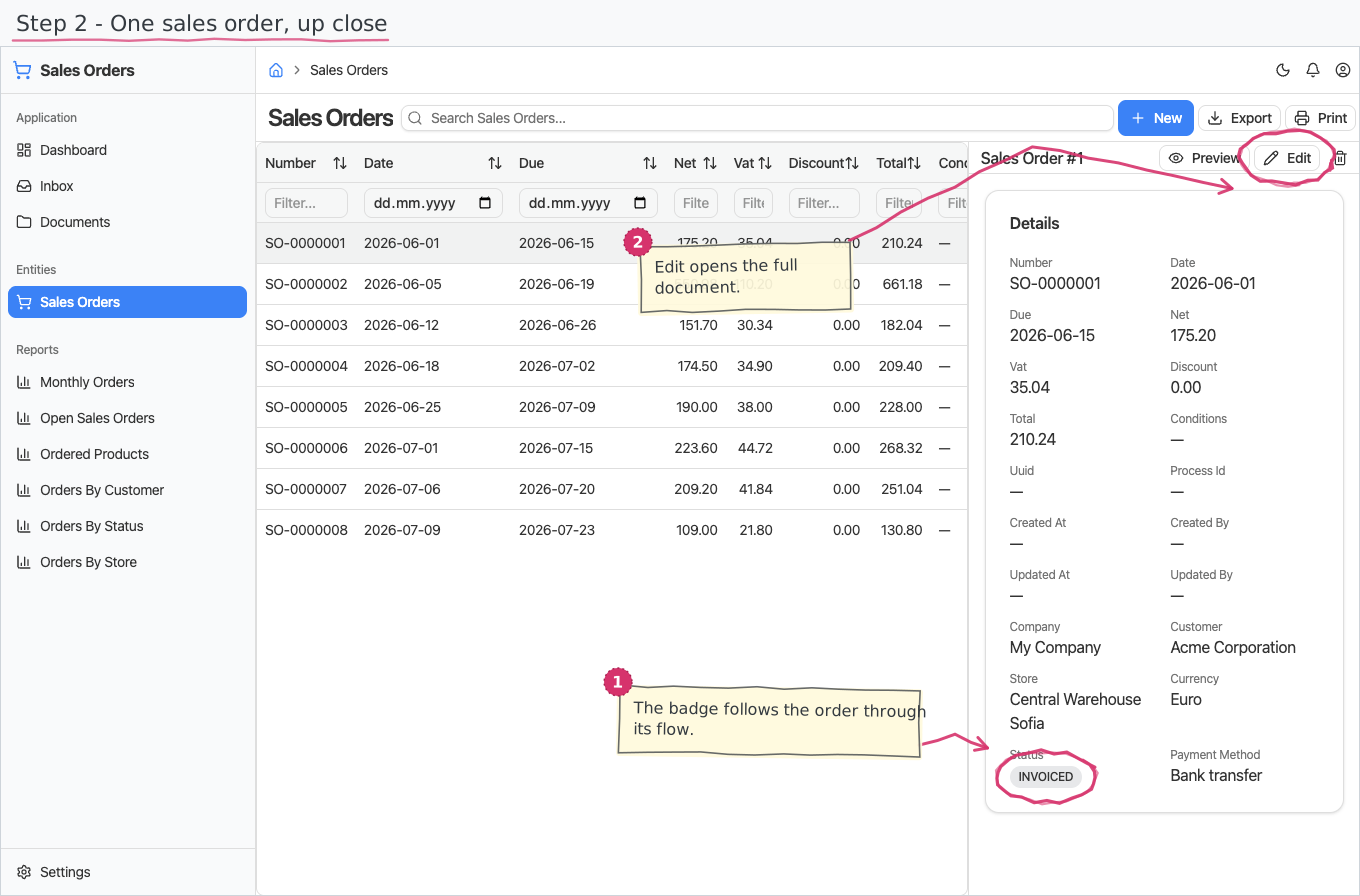
A sales order records the fulfilling store before stock moves. Confirmation hands the order to fulfilment, while the later goods issue and delivery note remain separate, linked documents.
The operation around the store
The Retail solution includes the records around the stock workflow, not only the movement ledger.
The documented solution covers retail back-office work. Point of sale, barcode scanning, cash-register shift handling, and loyalty programmes are not currently modelled.
A configurable starting point
Documents, fields, approval paths, reports, and business areas can be adapted on request when the standard Retail solution is close but does not match an operating rule.
Try BusinessIntentsDecision-stage answers
It is designed for shops and retail chains that need back-office control of customer orders, purchasing, stock across stores, delivery paperwork, invoicing, payments, staff administration, and accounting.
A sales order does not reduce stock. The quantity leaves the selected store when the related goods issue is posted, creating signed OUT movements in the stock ledger.
Yes. One stock-transfer document posts an OUT movement from the source store and an IN movement to the destination when it is posted.
Yes. A posted goods issue can create a delivery note with the customer, store, sales order, and quantity lines copied across.
No. POS, barcode scanning, cash-register shifts, and loyalty programmes are outside the currently documented Retail solution.
Yes. BusinessIntents describes each solution as a starting point; documents, fields, approval paths, reports, and whole areas can be adapted on request.
Follow one store transaction
Start with a real back-office retail process and identify where the standard workflow fits or needs adjustment.