

Journal & Posting
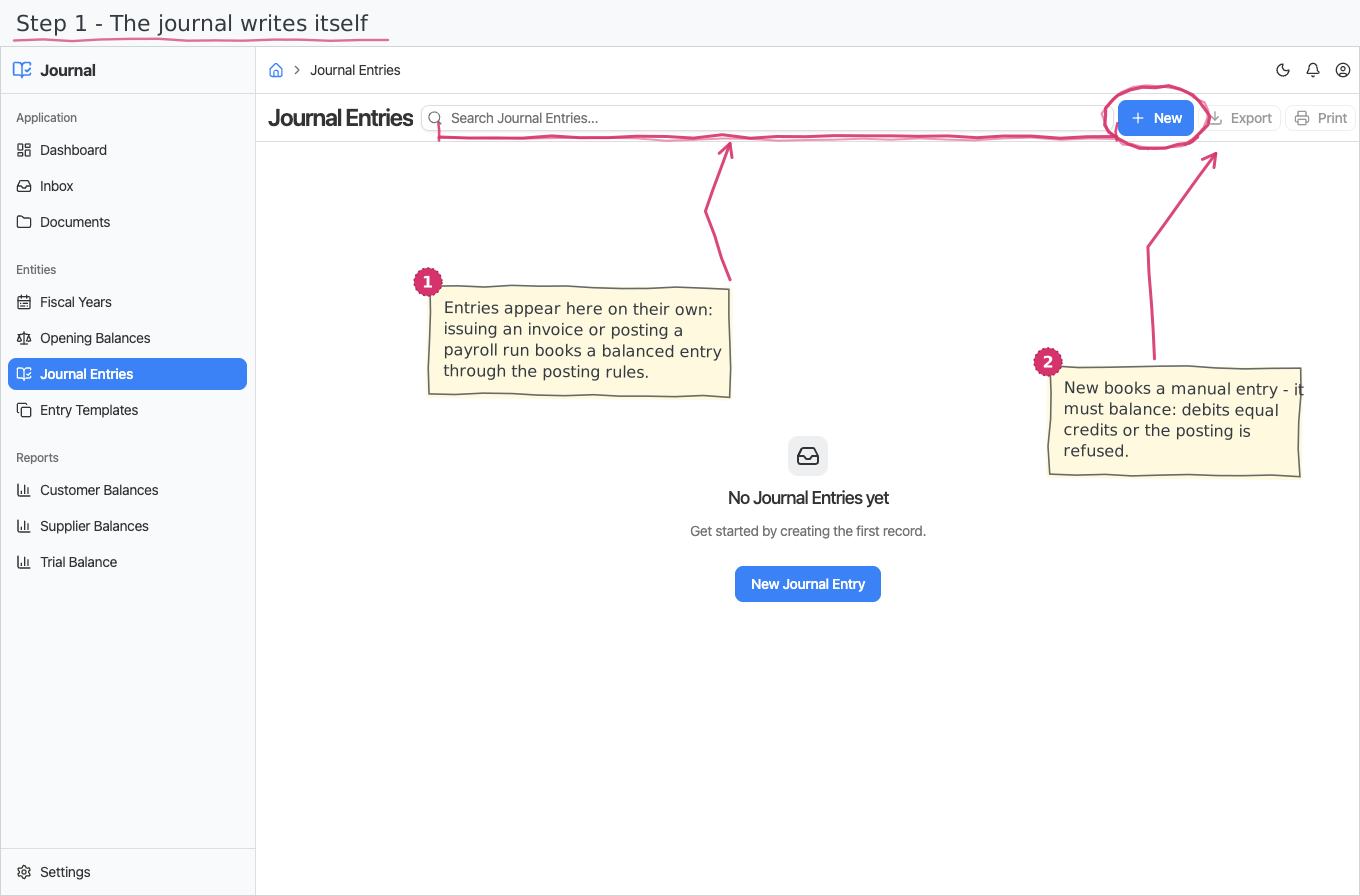
The ledger: balanced journal entries (memorial orders) posted against your chart of accounts — written by hand, from a template, or automatically from your business documents (issued sales invoices, posted payroll runs) via editable posting rules. Ledger reports — the trial balance and counterparty balances — read straight from what you post.
Where you find it: the Accounting sidebar group (statuses, entry reasons and posting rules are on the Settings page). Will be bundled in the upcoming Accounting application and Construction, Logistics, Professional Services, Retail, Wholesale; shown by the Accounting lens.
The tour in pictures
What you can do
Journal entries
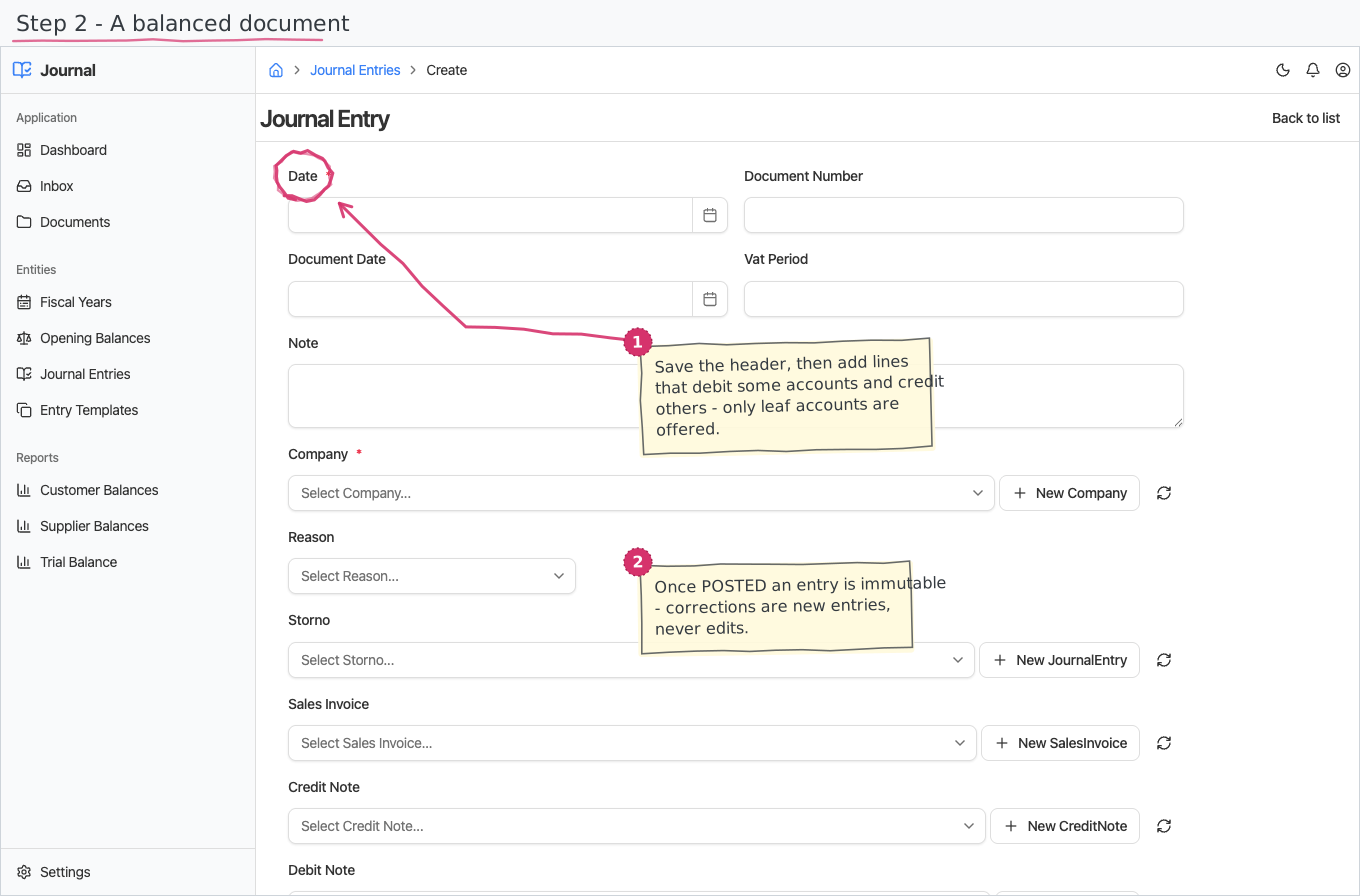
A journal entry is a document: a header (date, company, reason, the source paper's number/date) plus lines. Each line is a debit or a credit (exactly one side) on a leaf account from your chart — synthetic groups are not postable — optionally tagged with the customer or supplier it concerns (the counterparty subledger) and a foreign-currency amount and rate.
- A new entry starts as DRAFT — edit it freely; the totals footer shows the running debit and credit sums.
- Post it from your Inbox: every entry raises a Post task. Posting requires the entry to balance — if debits and credits differ, the Post fails with a clear message and the entry stays DRAFT until you fix it. On posting the entry receives its sequential JE number and becomes final: a posted entry can no longer be edited or deleted. Corrections are new entries — a red storno keeps negative amounts on the same side and links back to the original via the Storno reference. Voiding an issued sales invoice creates its red storno for you: the reversal appears as a new DRAFT entry — same lines, negated amounts, linked to the reversed entry — waiting in the accountant's Inbox to be reviewed and posted like any automatic entry. (If the invoice was never posted, voiding it simply posts nothing.)
- Reject on the task cancels the entry instead.
Automatic posting
When a sales invoice is issued, a journal entry appears by itself: receivables (411) are debited with the invoice total, revenue (703) and output VAT (4532) are credited — per the Sales Invoice posting rule. Automatic entries arrive as DRAFT with a Post task in your Inbox, so the accountant reviews before the ledger changes; each source document is posted at most once, and the entry links back to it.
Six document events post by themselves today, each through its own editable posting rule:
| When this happens | The entry books |
|---|---|
| A sales invoice is issued | Dt receivables (total) / Ct revenue (net less discount) + Ct output VAT |
| A credit note is issued | the mirror: Dt revenue + Dt output VAT / Ct receivables — it reduces what the customer owes |
| A debit note is issued | Dt receivables / Ct revenue + Ct output VAT — an additional claim |
| A purchase invoice is approved | Dt expense (net less discount) + Dt input VAT / Ct supplier payable |
| An expense claim is approved | Dt expense + Dt input VAT / Ct payable to the employee |
| A payroll run is posted | 604/605 expenses against 421/461/454 payables |
| A sales invoice is voided | the red storno: the same lines, negated, linked to the original |
A customer payment does not post yet — recording the bank side of a payment is a planned addition, not something you can switch on in the rules. Its rule row is seeded and harmless; it simply never fires.
Posting rules (Settings)
One row per document type maps its amount roles to your accounts — Receivable, Revenue, VAT sales, the payroll roles, and so on. The standard Bulgarian recipes ship pre-seeded (service-company flavor: revenue 703, expense 602); point them at different accounts to change where documents post. Only leaf accounts can be selected.
Fiscal years & opening balances
Open a fiscal year per company (OPEN → CLOSED → LOCKED). Enter opening balances per account when you migrate: plain account rows for most accounts, and open-item rows (with the counterparty and the document's number/date/due date) for receivables and payables, so aging and drilldowns are correct from year one. Foreign-currency accounts also record the currency amount and rate.
Entry templates
Save the recurring memorial orders (rent, bank fees, accruals) as named templates and create a fresh draft entry from one with Create Entry (lines are re-added on the entry for now).
Reports
All three reports take a From/To date window (leave empty for all-time) and count posted entries only:
- Trial Balance — opening balance, period turnover and closing balance, debit and credit, per account; the totals row shows the debit = credit equality.
- Customer Balances / Supplier Balances — the same shape per counterparty, from the lines' customer/supplier tags (manual entries and opening balances; automatic invoice postings will join once line-level tagging lands).
Export to CSV or print — both honor the window and any column filters.
Printing
Journal entries print to a branded standard layout. Open the document and use Print to view it or save it as PDF; the template lives under Documents and can be customised per company. See how printing works for the shared mechanics. Entries print in Bulgarian or English — the Print button asks which language you want.