

Chart of Accounts
Keep your company's chart of accounts: adopt the standard Bulgarian national chart with a few clicks, switch off what you don't use, and add your own analytical accounts under it. The chart is the foundation the accounting vertical posts against — journal entries, opening balances and the ledger reports all reference these accounts.
Where you find it: the Accounting sidebar group (its type, category and chart-type nomenclatures are on the Settings page). Bundled in Construction, Logistics, Professional Services, Retail and Wholesale; shown by the Accounting lens.
The tour in pictures
What you can do
Accounts
One row per account — a synthetic group like 20 Property, plant and equipment or a posting account like 4531 VAT charged on purchases.
- Number — the account code (411, 4531…). Unique, and yours to structure: the standard chart uses 2-digit synthetic groups and 3–4 digit accounts under them.
- Name — in your language: account names are translated (English and Bulgarian ship with the standard chart), and the UI shows the one matching your Region & Language setting.
- Type — Active, Passive or Both, the classic BG classification; the ledger reports use it to present balances on the correct side.
- Category — which class of the national chart the account belongs to, 1 Capital through 7 Income.
- Chart type — Corporate (pre-selected), Budget or Non-profit; version one ships the corporate chart.
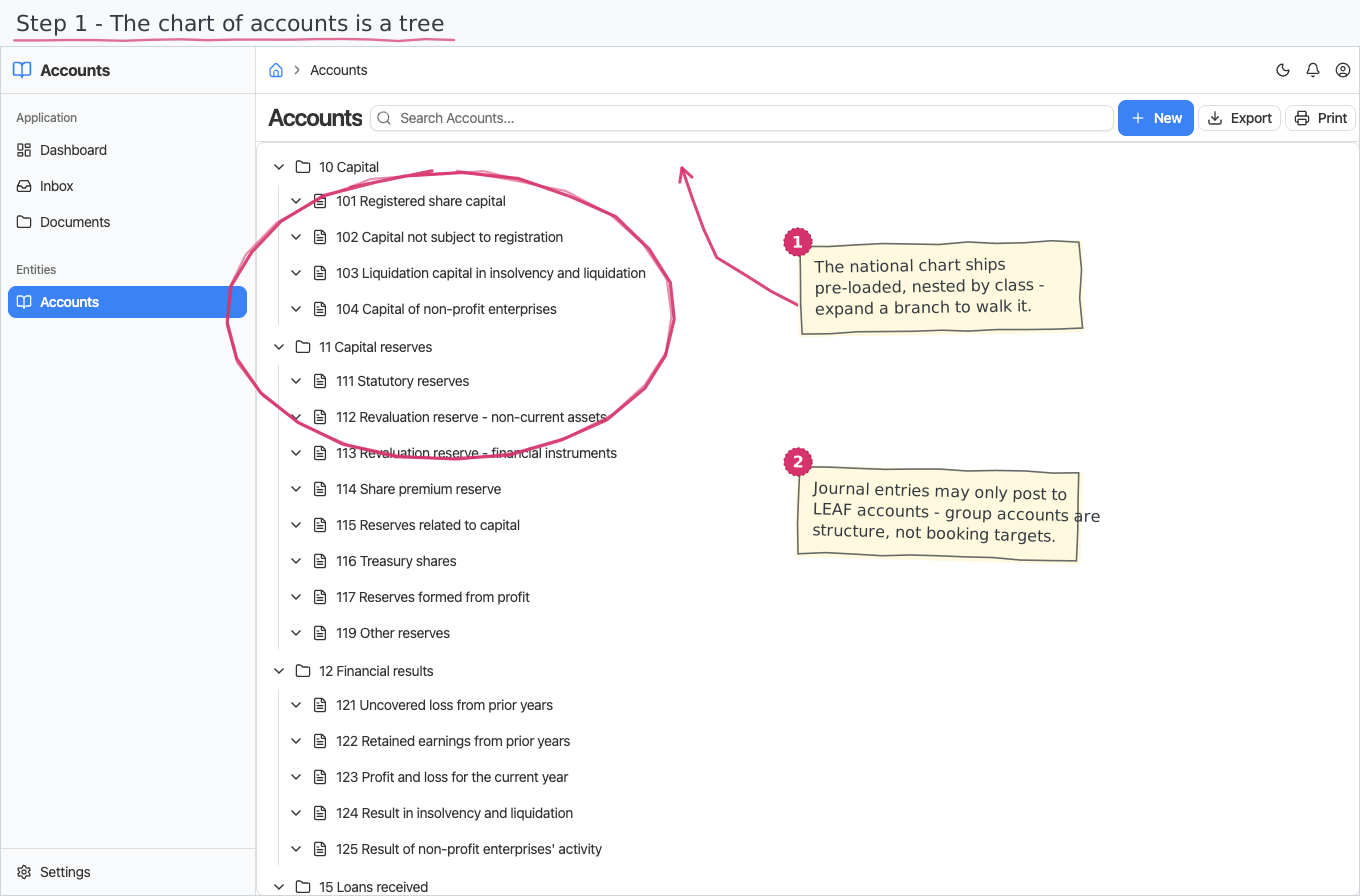
- Parent — the synthetic group the account sits under (e.g. 411 under 41). The list renders as a tree (expand the groups to reach the posting accounts), and account pickers across the suite are hierarchy-aware: where only posting accounts make sense — journal lines, posting rules — the picker offers leaf accounts only.
- Closing account — where the account closes at year end. The standard chart pre-fills 123 Profit and loss for the current year for the expense and income classes; adjust it to your closing practice. The year-close generation (journal module) will use it.
- Active — "in my chart". The shipped national chart arrives entirely inactive: adopting the standard chart means activating the rows you use; your own analytical accounts are new rows, active from the start.
Journal entries (the upcoming journal module) will post against active leaf accounts only — synthetic groups organize the chart, they don't take postings.
Reports & dashboard
None of its own — the chart is the dimension the accounting reports (trial balance, general ledger, receivables/payables by counterparty) pivot on; those arrive with the journal and posting modules.
Settings
- Account Types — Active, Passive, Both (pre-seeded, translated).
- Account Categories — the seven classes of the national chart, Capital, Fixed assets, Inventories, Settlements, Financial assets, Expenses, Income (pre-seeded, ids match the class digits, translated).
- Chart Types — Corporate, Budget, Non-profit (pre-seeded, translated).
Shipped data
The nomenclatures above are pre-seeded; a new company starts with an empty account register. The reference-data companion ships the Bulgarian national corporate chart of accounts — 238 rows (34 synthetic groups + 204 accounts across classes 1–7, including the VAT settlement accounts 4531/4532, depreciation 24x, sundry debtors/creditors 49x and the extraordinary items 69x/79x), with English names and full Bulgarian translations, everything inactive until you adopt it. Off-balance accounts (class 9) and the budget/non-profit charts are future data additions.
Works together with
- Journal (Journal & Posting, upcoming) — journal entry lines and opening balances post against these accounts; the closing account drives the generated year-close entries.
- Posting (upcoming) — the posting rules map each business document type (sales invoice, purchase invoice, expense, payment) to accounts from this register, so your invoices book themselves.
- Region & Language — account and nomenclature names follow the platform language setting (English/Bulgarian shipped).