

Set up the project and crew
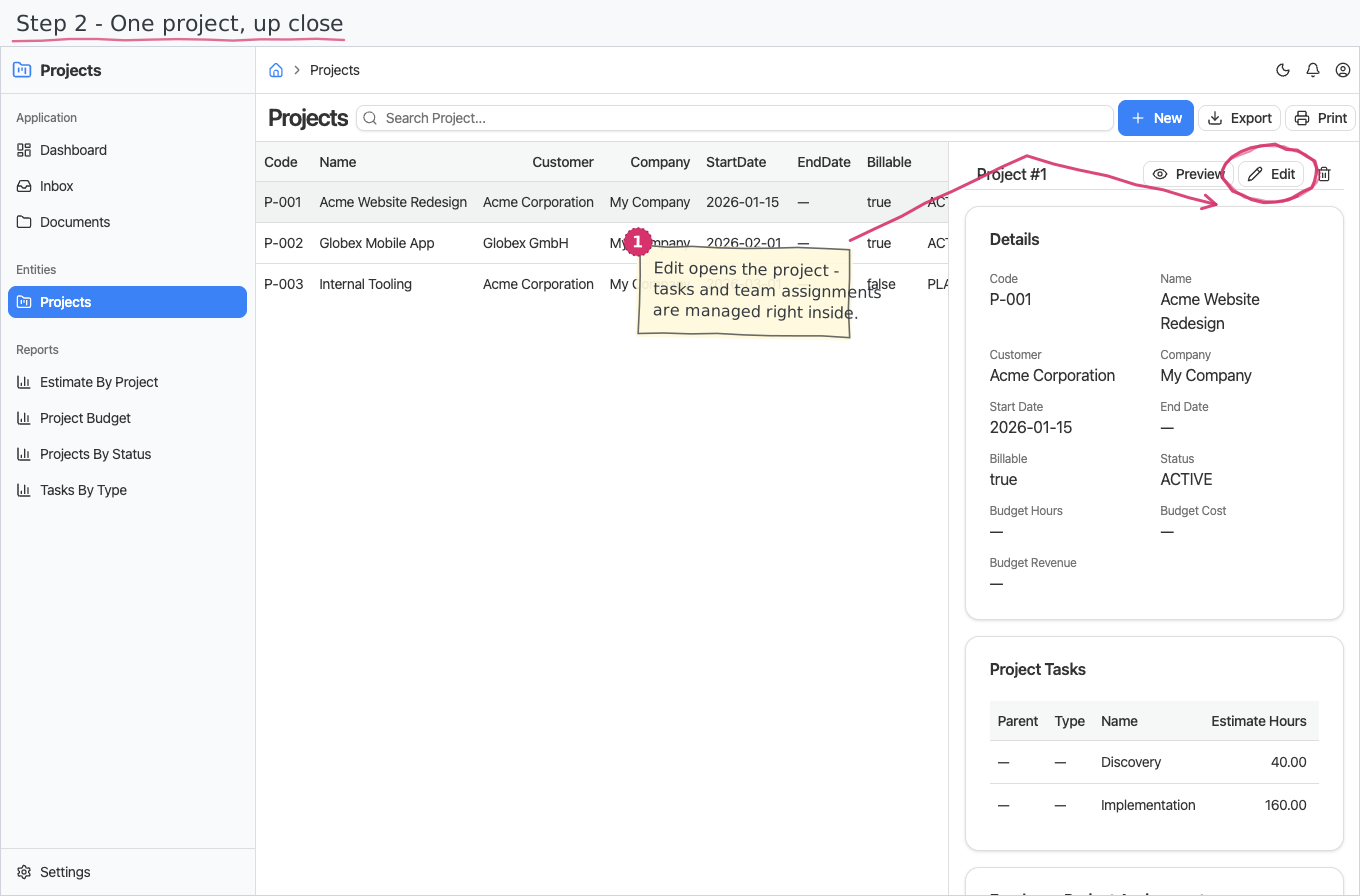
Create the project, add tasks and estimated hours, assign employees, and keep each team member's billing rate on that engagement.
Explore ProjectsConstruction operations solution
BusinessIntents brings projects, site time, supplier sourcing, purchasing, stock, expenses, payroll, invoicing, and accounting together for contractors running jobs and sites.
Behind that workflow, the software stores customer projects, tasks, team assignments, billing rates, monthly timesheets, requests for quotation, supplier quotes, purchase orders, inventory documents, expense claims, invoices, and payments. It does not currently model retainage billing, subcontractor management, or equipment tracking.
Start with the documented contractor workflow, then adapt records, fields, approvals, reports, or modules when the site process differs.
One job, several document trails
The project holds the customer, tasks, team, dates, and billing rates. Timesheets record the labour, RFQs and purchase orders document material sourcing, inventory records what enters or leaves a store, and expense claims follow their own approval and reimbursement path.
Create the project, add tasks and estimated hours, assign employees, and keep each team member's billing rate on that engagement.
Explore ProjectsActive projects generate monthly timesheets for assigned employees, with working days prepared for review before submission and approval.
Explore TimesheetsRecord the required products and quantities, capture supplier responses, compare the quotes, and convert a selected response into a draft purchase order.
See the RFQ flowLet employees submit itemised claims, then move each claim through approval and reimbursement with totals and status visible.
See the expense flowProjects in practice
The project record gives the operating context for time capture. Its customer, dates, status, tasks, team assignments, and engagement-specific rates determine who receives a monthly timesheet and how booked time is valued.
Role-aware job workflow
Project delivery, purchasing, stock, and finance remain distinct processes, but they live in the same solution and use the same companies, products, employees, approvals, and document conventions.
Set the customer, tasks, team, dates, and project status.
Adjust the prepared month, allocate hours to tasks, and submit it.
Compare supplier quotes, approve the order, and post goods when they arrive.
Approve time and expenses, prepare invoices, record payments, and use the journal.
The wider contractor operation
The Construction solution combines the project workflow with customer, supplier, stock, people, billing, and accounting areas.
Progress billing with retainage, subcontractor management, and equipment tracking are not currently modelled in the documented Construction solution.
A configurable starting point
BusinessIntents can adapt documents, fields, approval paths, reports, or business areas on request when the standard contractor setup does not match the way your company runs projects.
Try BusinessIntentsDecision-stage answers
It is designed for contractors that run customer projects and sites while coordinating time, material sourcing, purchasing, stock, employee expenses, payroll, billing, and accounting.
On the first day of each month, active projects generate a project timesheet with one employee line per team assignment and prepared working-day allocations.
Yes. A request for quotation holds the required items, supplier responses are recorded separately, and the selected quote can generate a draft purchase order.
Yes. Inventory documents cover receipts, issues, transfers, returns, corrections, and stocktakes, with on-hand calculated from the signed movement ledger per product and store.
No. Progress billing with retainage, subcontractor management, and equipment tracking are outside the currently documented solution.
Yes. Documents, fields, approval routes, reports, and complete business areas can be adapted on request.
Follow one project
Use a real contractor process to review the standard records and identify the points that need tailoring.