

Projects
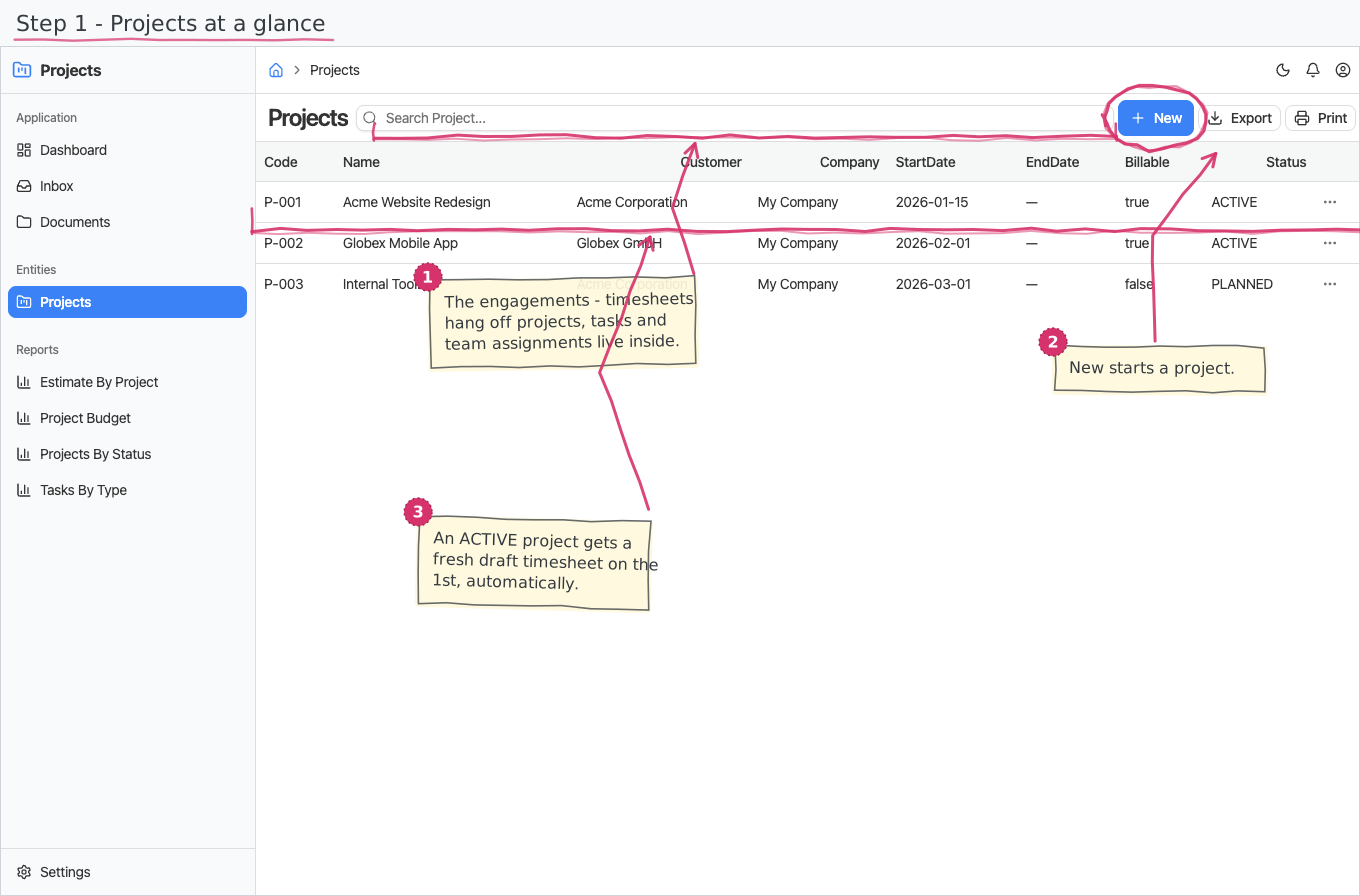
Keep a register of your projects — the billable engagements timesheets are booked against — with their tasks, their team, and each team member's billing rate for the engagement.
Where you find it: the Projects sidebar group (the project-status nomenclature is on the Settings page). Bundled in Construction and Professional Services; shown by the Timesheets lens.
The tour in pictures
What you can do
Projects
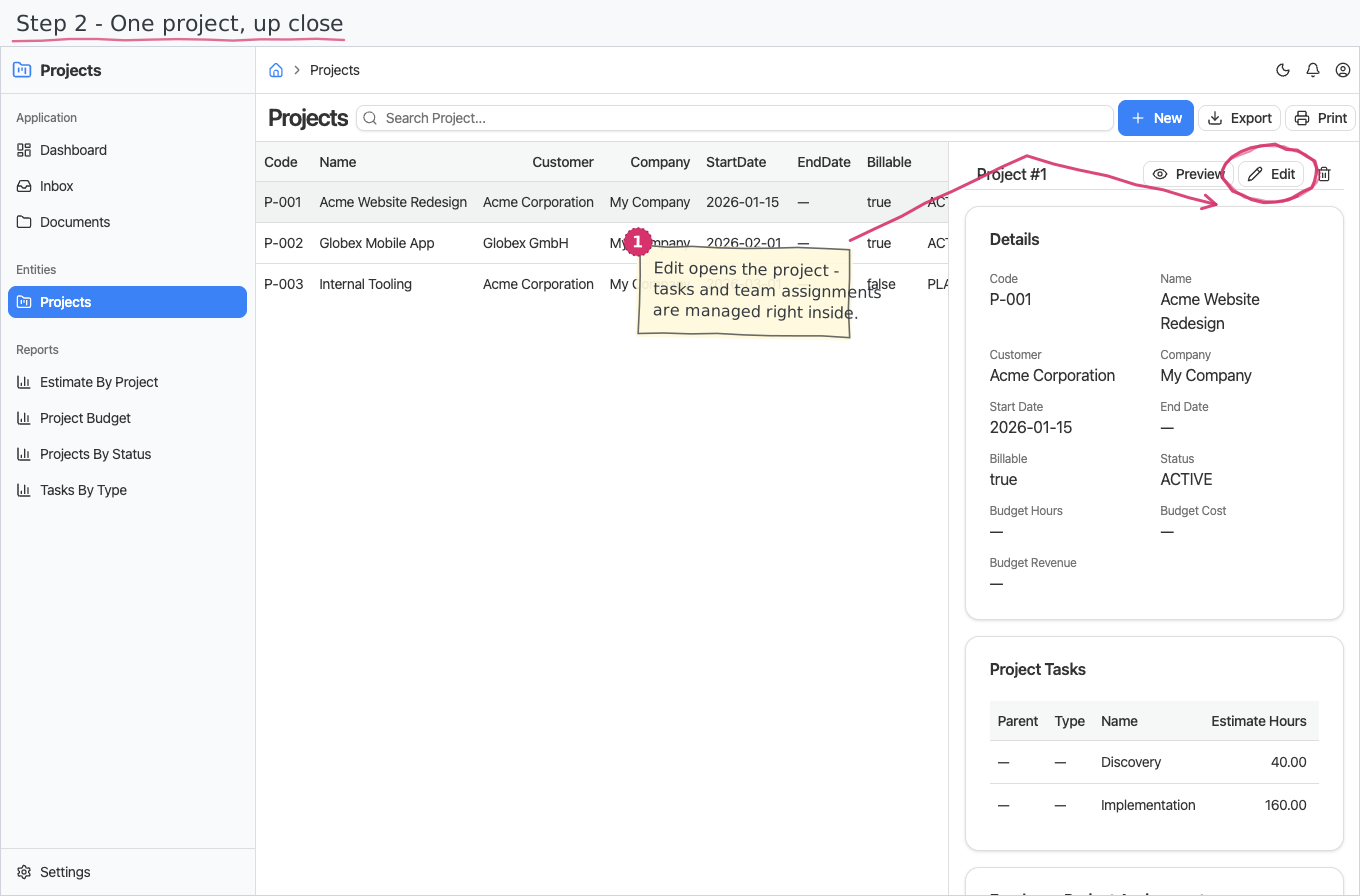
A project is a master record with two drill-in detail lists (tasks and team):
- You enter a unique code and a name, pick the Customer (required), and optionally the start and end dates. The Company defaults to your base company; the Billable flag defaults to on.
- Status is a plain dropdown you set yourself — PLANNED (the default for a new project) → ACTIVE → CLOSED. There is no approval flow; you move a project to ACTIVE when work starts, and that is also what turns on the monthly timesheet generation (below).
Project Tasks
The work-breakdown under a project: each task has a name and optional estimated hours — the estimates feed the budget report.
Team (Employee Project Assignments)
Who is staffed on the project, and at what price:
- Pick the Employee, optionally note their role on the engagement, and enter their billing rate (required).
- The rate lives here — per employee per project — not on the project, because different people bill at different rates on the same engagement. When a team member books hours on a timesheet, their day's value is hours × this rate.
Monthly timesheet generation
On the 1st of each month, the system automatically creates the whole month (in the Timesheets module) for every project whose status is ACTIVE: the draft Project Timesheet pre-filled with project, customer and period, one employee line per team assignment, and one 8-hour allocation per working day — each employee immediately gets a Confirm task for their line in their own Inbox. Close a project (or set it back to PLANNED) to stop getting timesheets for it.
Reports & dashboard
- Estimate by Project — estimated hours per project, as a bar chart.
- Projects by Status — how many projects are planned/active/closed; also a dashboard counter widget ("Projects").
Settings
- Project Statuses — the status nomenclature (PLANNED, ACTIVE, CLOSED pre-seeded).
Shipped data
Project statuses are pre-seeded (above); a new company starts with no projects. The optional demo-data companion adds three demo projects with five tasks and four staffed team members (with billing rates) so trials can book timesheets right away.
Works together with
- Customers — every project belongs to a customer; Companies — the executing company.
- Employees — the team assignments.
- Timesheets — hours are booked against a project's assignments and tasks; the monthly generation creates the draft timesheets; the assignment's billing rate is what prices each booked day.