

Products
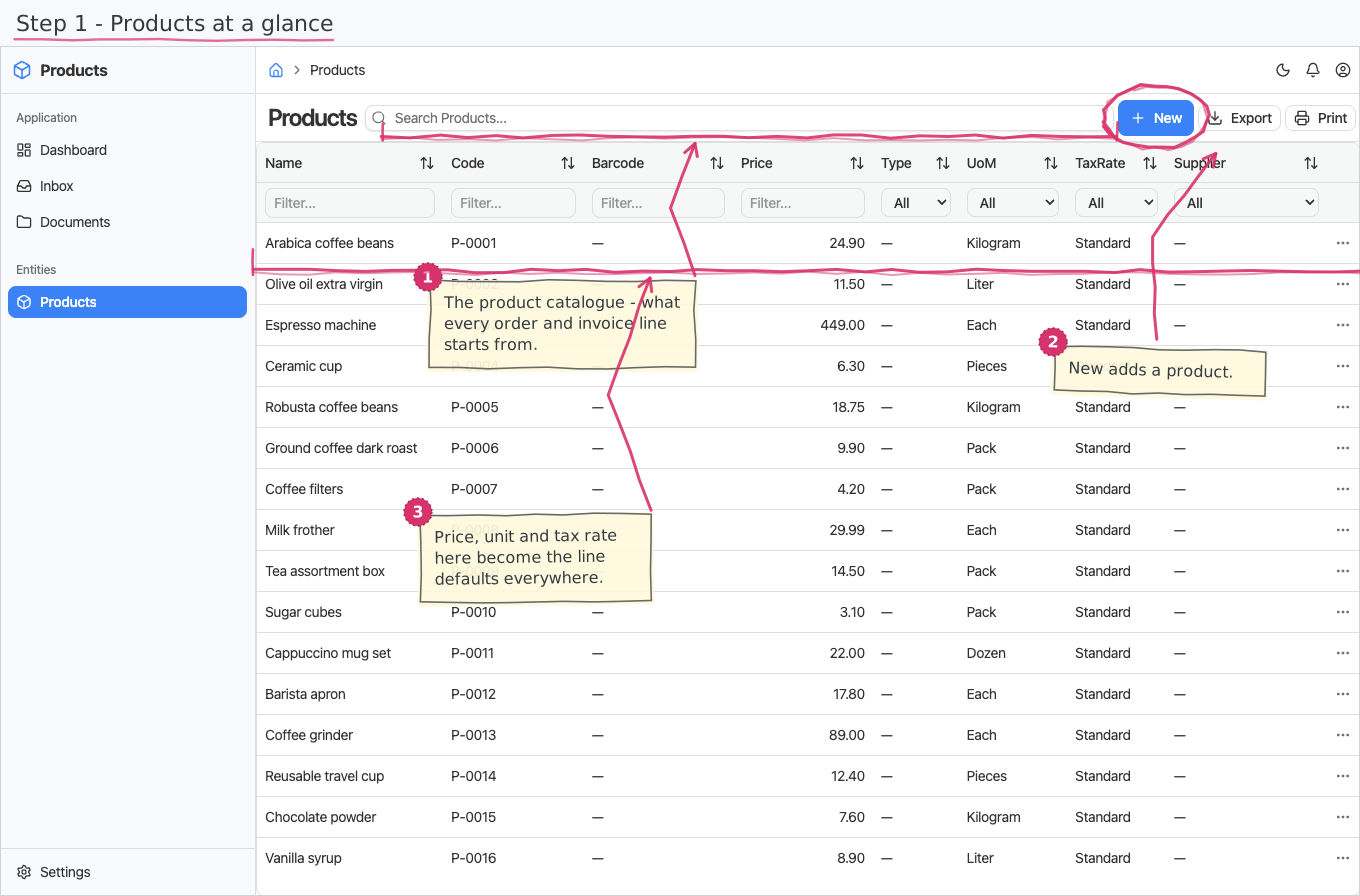
Your product catalogue: everything you sell, with its article code, default sales price, base unit and default tax rate — the defaults that flow into every document line where the product is picked.
Where you find it: the Registries sidebar group. Bundled in Construction, Logistics, Professional Services, Retail and Wholesale; shown by every lens that includes the Registries group (Billing, Purchase, Store, Accounting).
The tour in pictures
What you can do
Products
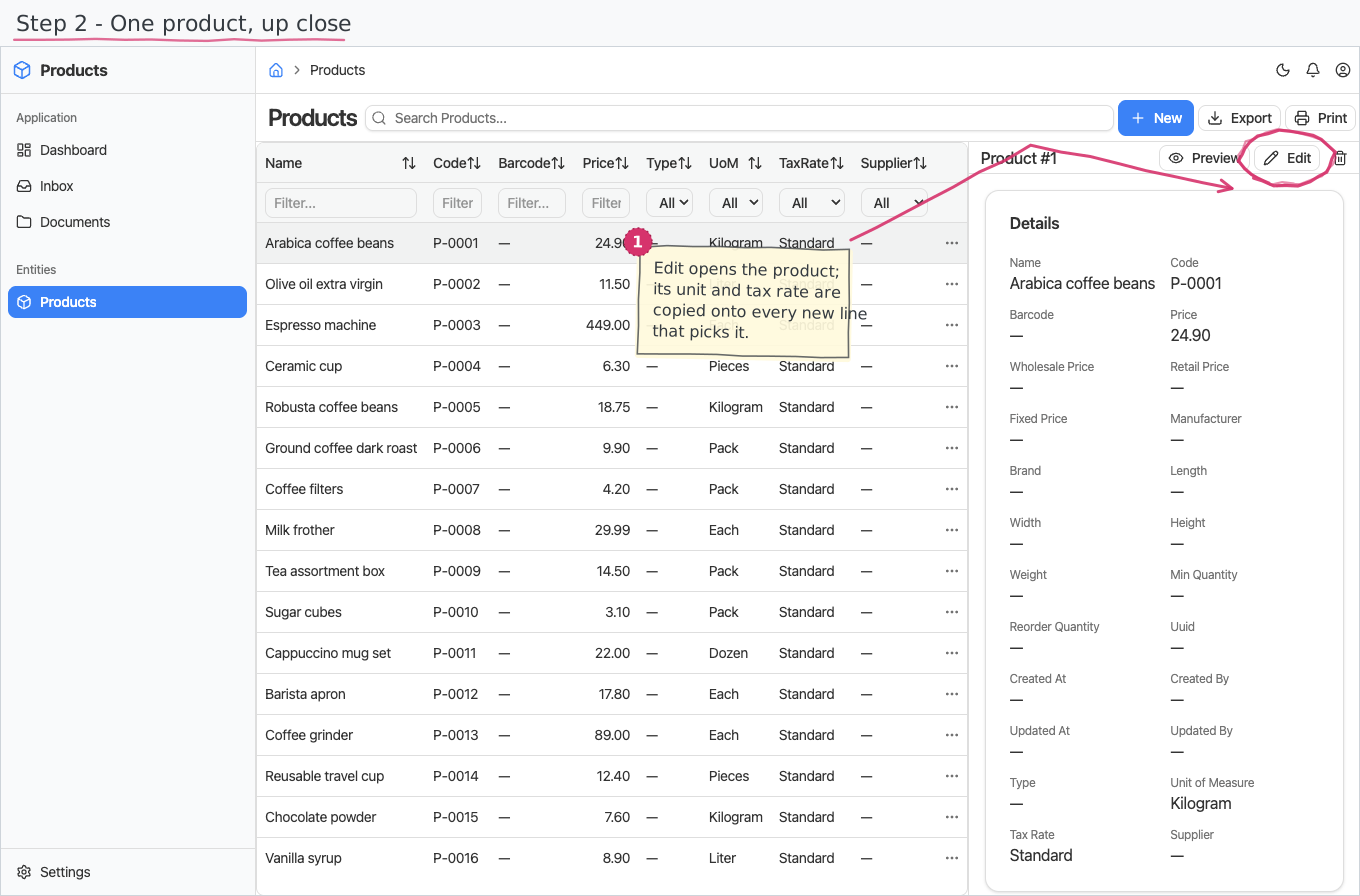
A plain catalogue list — no workflow, no line items. For each product you fill in:
- Name (required) and Code — the SKU / article number, unique across the catalogue.
- Type — Product (the default) or Service: services are sellable on invoices and orders but never stock-tracked — the inventory documents' product pickers simply do not offer them.
- Barcode — the product's EAN/UPC, for catalogues kept barcode-first (and future warehouse scanning).
- Price — the product's default sales price (what document lines pre-fill with), plus the trading levels wholesale price and retail price (which one applies per partner is the customer's price list choice).
- Fixed price — a marker that the price is contractual: fixed for a period or contract regardless of market changes.
- Logistics data — manufacturer, brand, dimensions (length/width/height in cm) and weight (kg), for labels and transport documents.
- Supplier — where the product is reordered from (offered in apps that carry the supplier register).
- Reorder point — a minimum quantity and a reorder quantity: when on-hand falls below the minimum, the product is due for reordering (the replenishment report that watches this is planned alongside the report-parameters platform work).
- UoM — the product's base unit of measure (from the shared units registry).
- Tax rate — the product's default tax rate.
These defaults are what make the catalogue useful: when you pick the product on an invoice, order or delivery line, the line's price is copied in, the unit dropdown narrows to the product's base unit and the tax rate pre-selects the product's default — all still editable on the line.
Reports & dashboard
None of its own. Product-based reports live in the document modules that use the catalogue (e.g. Sales by Product in sales invoices, Most Ordered Products in sales orders).
Settings
- Product Types — Product / Service (pre-seeded); the flag that keeps services out of the stock ledger.
Shipped data
a new company starts with an empty catalogue. The optional demo-data companion ships 16 demo products (a small café/retail assortment — coffee beans, olive oil, an espresso machine, syrups…) with codes, prices, units and tax rates, so trial documents have something to pick from.
Works together with
- Units of Measure and Tax Rates — the two registries every product points into.
- Sales Invoices / Sales Orders / Delivery Notes — their line items pick from this catalogue and inherit price, unit and tax rate from it.