

Delivery Notes
Document the goods you dispatch to a customer from a store — what was shipped, from where, by whom. Quantities only, no money.
Where you find it: the Sales sidebar group. Bundled in Logistics, Retail and Wholesale; shown by the Store lens.
The tour in pictures
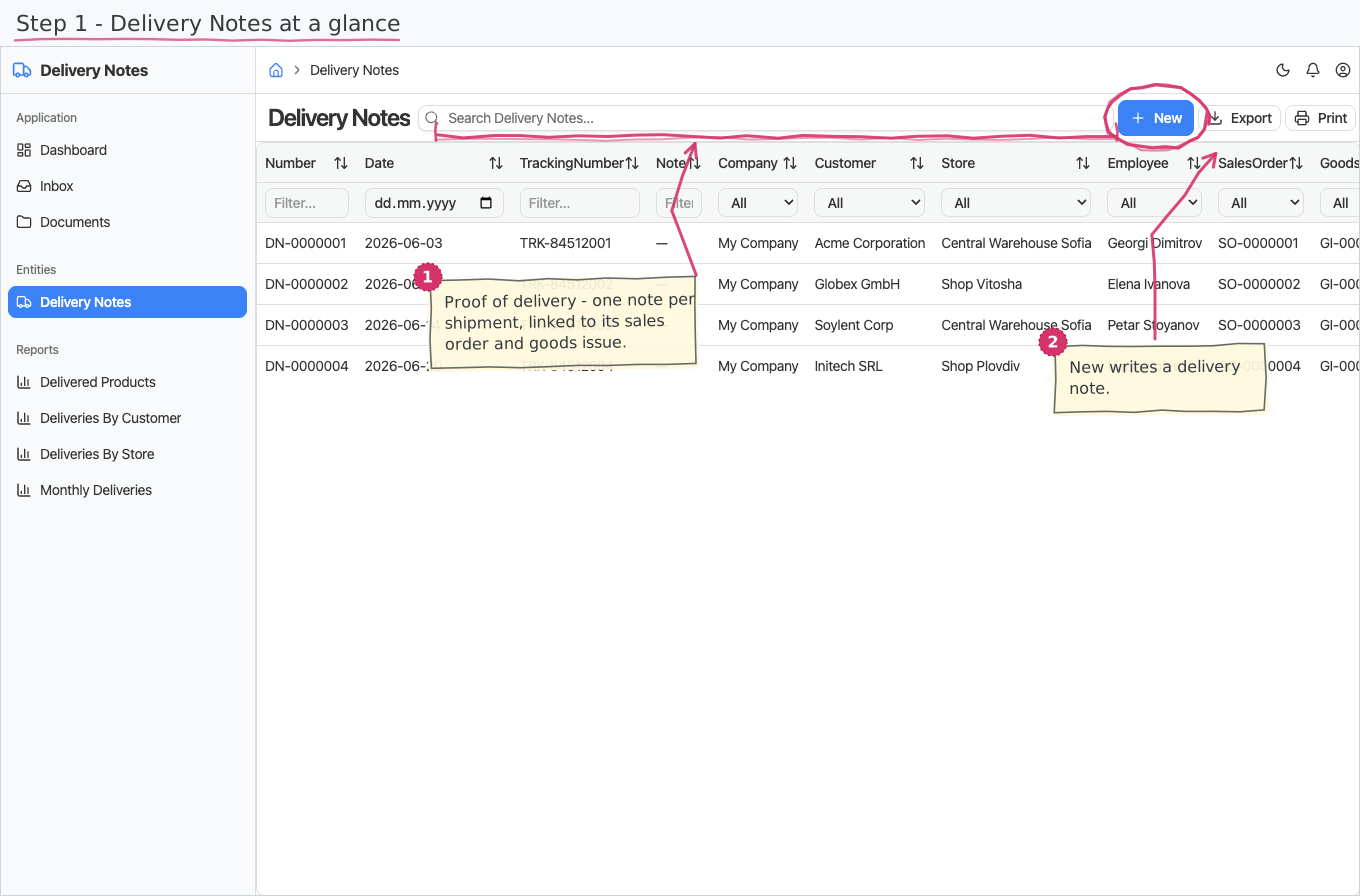
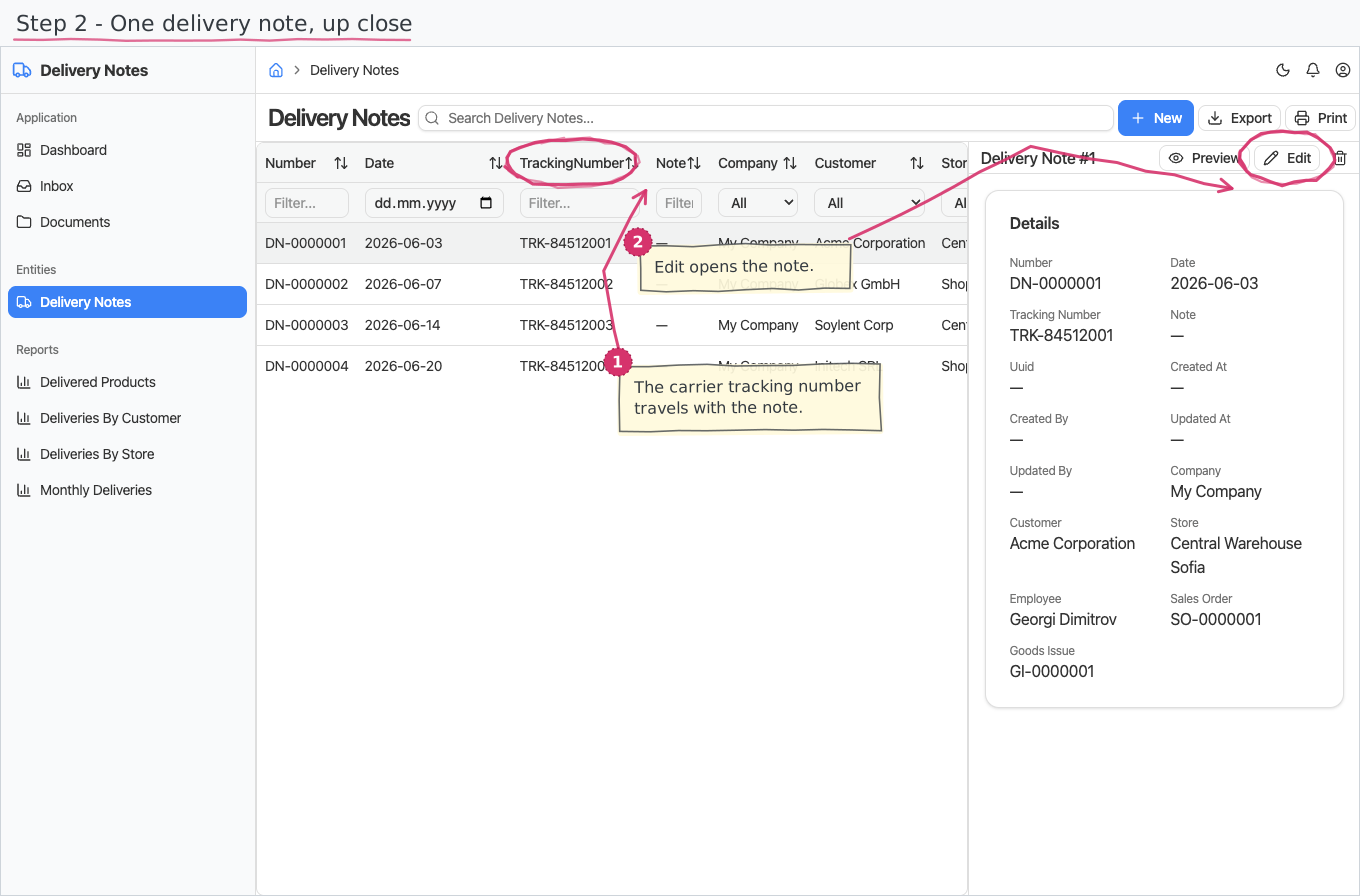
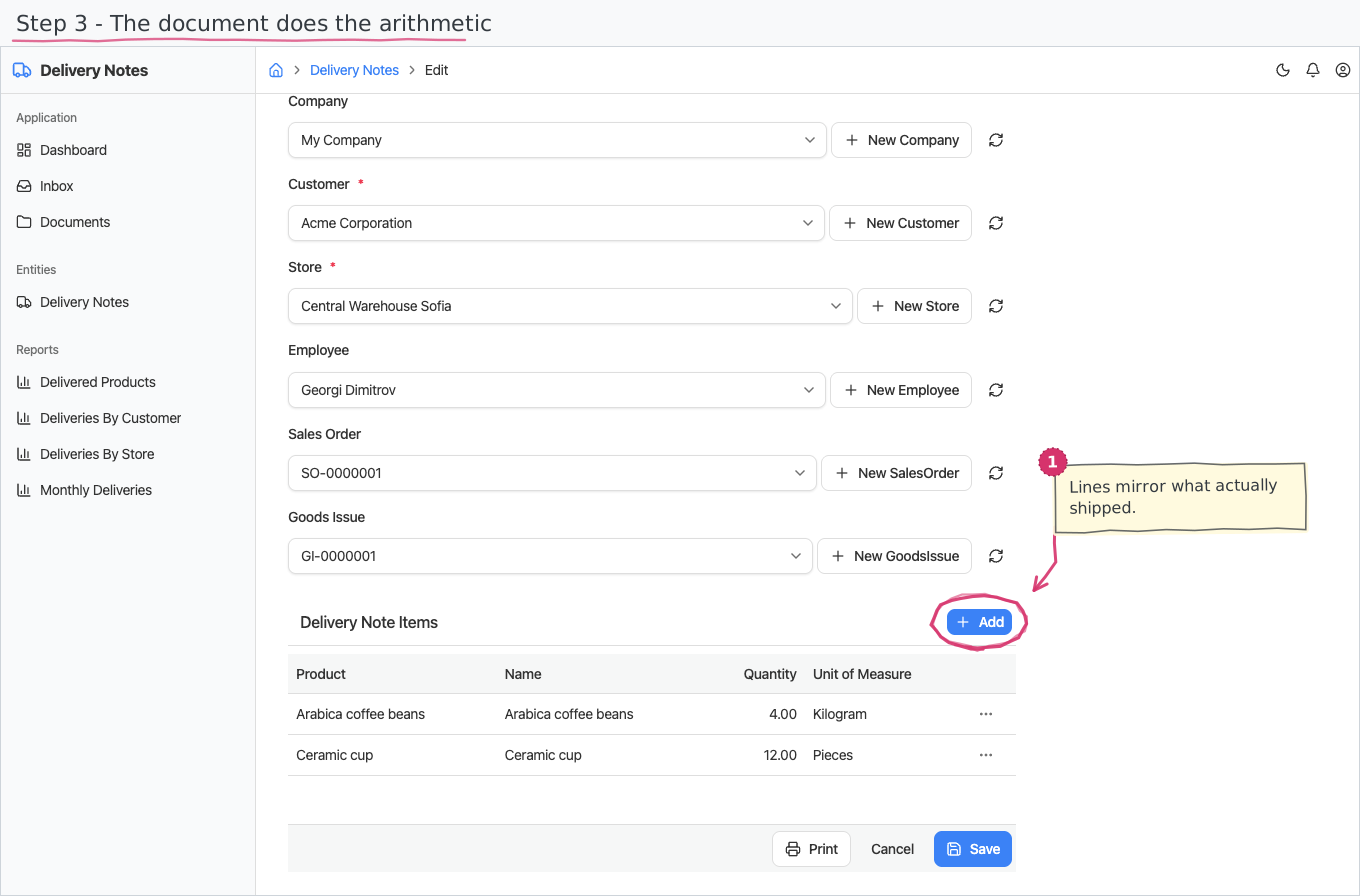
What you can do
Delivery Notes
A delivery note is a document — a header and a line-items table — but a deliberately light one: no prices, no totals footer, no status, no approval flow.
- Header — you pick the Customer (required), the dispatching Store (required) and the delivery date, optionally the Employee who dispatched the goods, the Sales Order being fulfilled, the Goods Issue the note documents, a carrier tracking number and a free-text note. The issuing Company (your base company) starts pre-filled.
- The usual way to create one: don't type it at all — on a posted goods issue, click Create Delivery Note and the customer, store, sales order and all lines are copied over, with the links set for you.
- Number — you never type it. The sequential DN-number is stamped the moment the note is created, using the shared document-numbering series; it is the document's title ("DELIVERY NOTE DN-…").
Delivery lines
Each line is simply what and how much:
- Pick a Product (required) — the unit of measure dropdown narrows to the product's base unit.
- Enter the quantity; an optional free-text name overrides the description.
Printing
Delivery notes print to a branded standard layout. Open the document and use Print to view it or save it as PDF; the template lives under Documents and can be customised per company. See how printing works for the shared mechanics. The layout ships in English and Bulgarian — the Print button asks which language you want. On the Bulgarian printout your own company's details (name, address, manager/МОЛ) come from the local-language fields of the company profile (see Companies); the customer's details print as you entered them.
Reports & dashboard
- Deliveries by Customer — delivery-note count per customer.
- Deliveries by Store — delivery-note count per dispatching store.
- Delivered Products — quantity delivered per product; a dashboard top-5 list widget.
- Monthly Deliveries — delivery notes per month as a bar chart.
Settings
Nothing — the module adds no Settings-page entries.
Shipped data
a new company starts with no delivery notes. The optional demo-data companion adds 4 demo notes mirroring the shipped demo sales orders (linked to their goods issues) for trials.
Works together with
- Customers — who the goods go to; Stores — where they leave from; Employees — who dispatched them.
- Products / Units of Measure — the line items pick from the catalogue.
- Companies — the issuing company; Document numbering (built into the platform) — the "Delivery Note" number series.
- Sales Orders — the order the delivery fulfils, named on the note itself.
- Inventory — the goods issue that actually moved the stock; the note is its printable face, created from it in one click and linked back to it.