

Companies
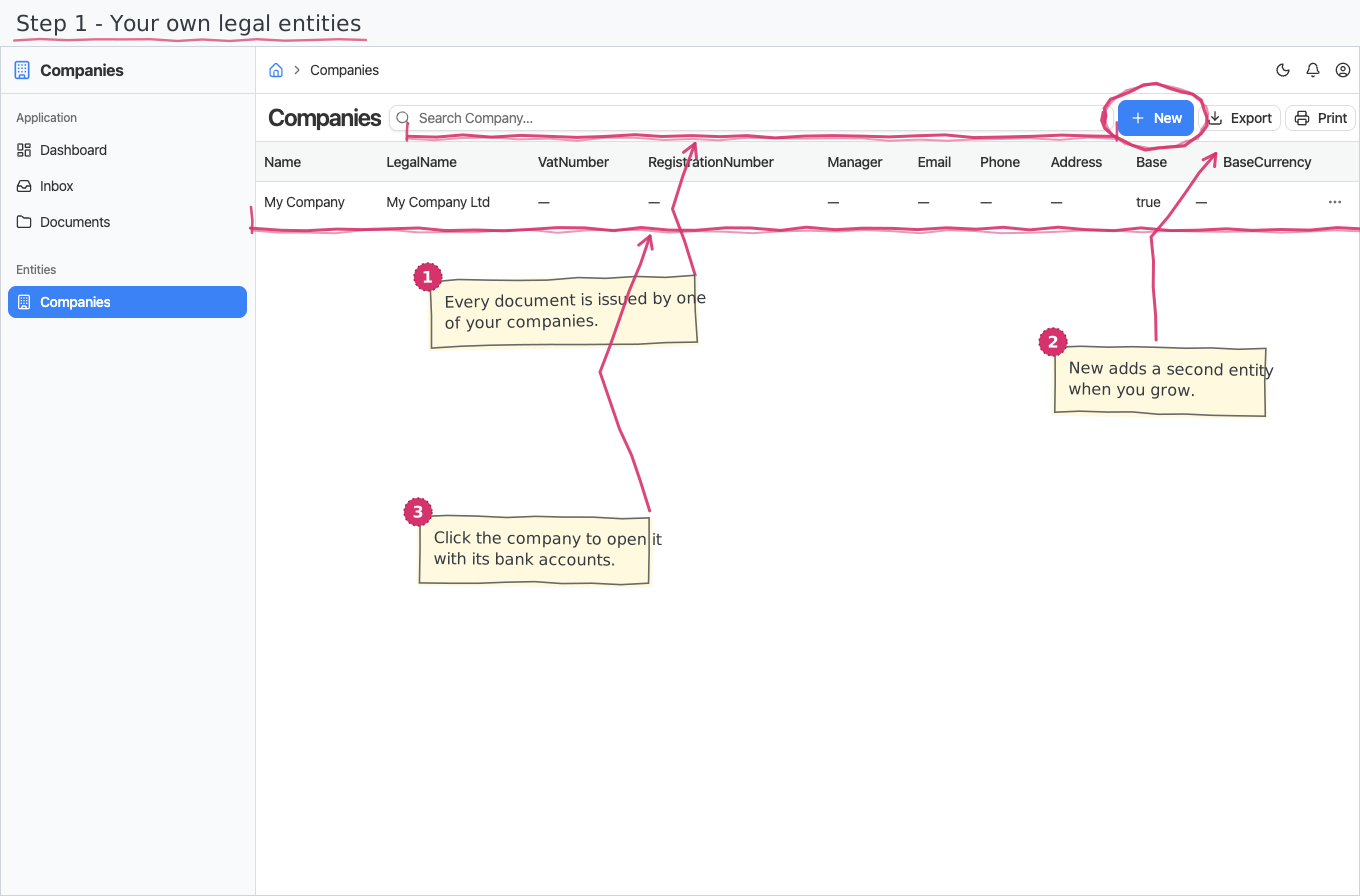
Your own company profile(s): the legal and bank details that appear on document headers and printouts. One company is flagged as the default, and every new document starts issued by it.
Where you find it: the Registries sidebar group. Bundled in Construction, Logistics, Professional Services, Retail and Wholesale; shown by every lens that includes the Registries group (Billing, Purchase, Store, Accounting).
The tour in pictures
What you can do
Companies
One record per company you operate as:
- Name (required) and legal name — the short name used in dropdowns and the full legal name for documents. Enter these in the international (Latin) spelling: they are what appears everywhere — on screen, in reports and on printouts in any foreign language.
- Name (local language) and legal name (local language) — optional. Fill these with your registered local-language (e.g. Cyrillic) names if you print documents in your local language and want them to carry the registered spelling. If you use one international name everywhere, leave them empty.
- VAT number and registration number — the tax and company-register identifiers.
- Manager — the company's authorized person (MOL), printed as the document author/issuer. Has a local language twin too, same rule as the names.
- Contact details — e-mail, phone, address. The address also has a local language twin for local-language printouts.
- Base currency — the currency this company trades and reports in, picked from the Currencies registry. A new tenant ships EUR; change it to yours before you issue anything. It is the reference the rest of the suite reads when it needs to know "which currency is this company's", so leaving it empty is worth avoiding even though no page forces you to fill it.
- Base — the default company: new documents pre-fill their issuing company with it.
Changes are audited (who created/changed the record, and when, shows in the read-only details block).
Bank accounts
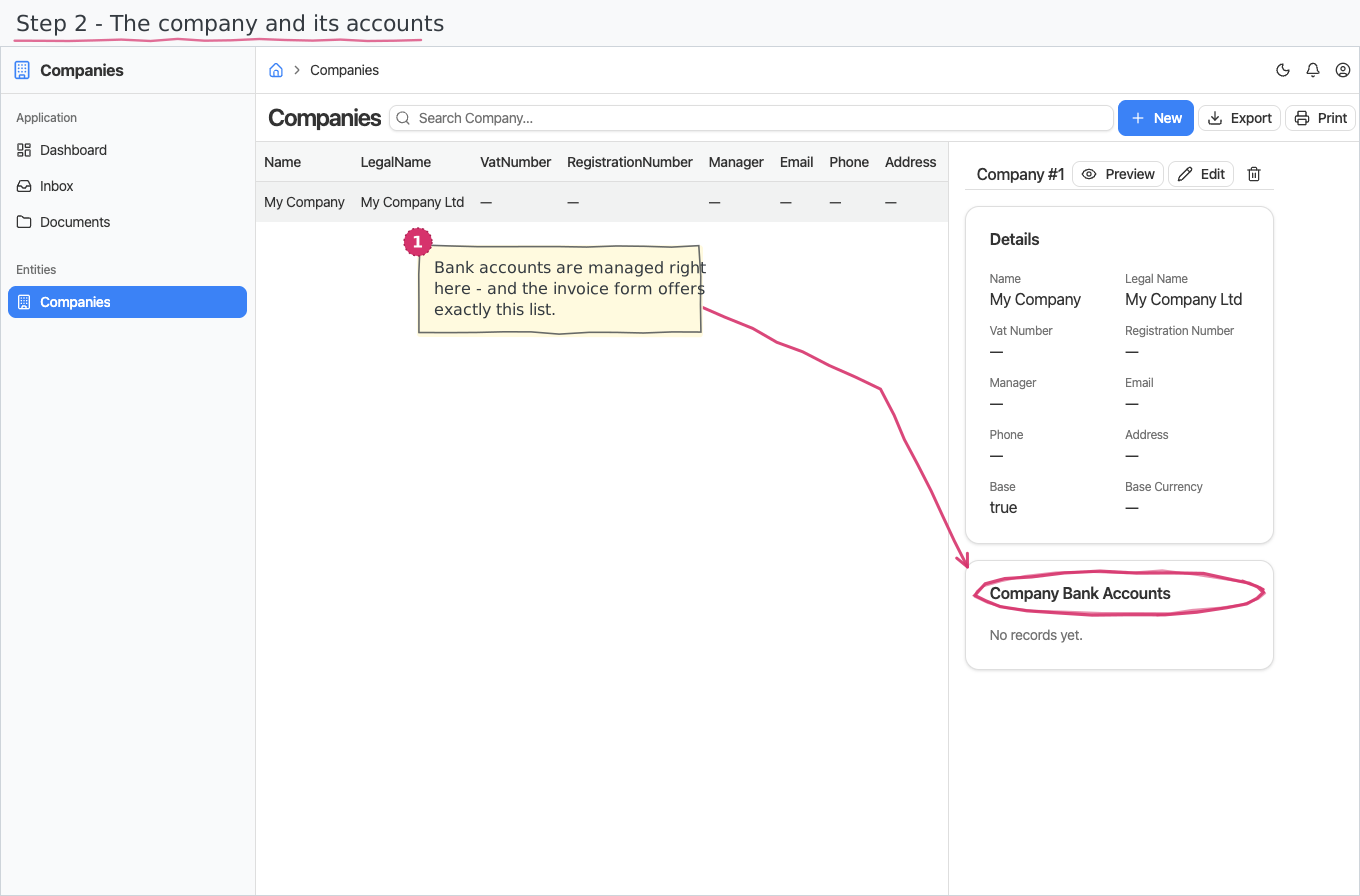
Each company keeps as many bank accounts as it needs (a BGN and a EUR account is the classic pair), managed right on the company record:
- IBAN (required), BIC and bank name, plus the account's currency. The bank name has a local language twin, same rule as the company names above.
- Base — the default account: a new sales invoice pre-offers it, and the invoice's account picker lists only the chosen company's accounts. The selected account is what prints on the document as your payment coordinates.
Reports & dashboard
None — this is a plain registry.
Settings
No dedicated entries; the registry above is the module's whole surface.
Shipped data
a new company starts with a single placeholder company — My Company / My Company Ltd, flagged as the base, with EUR as its base currency. Your first stop after provisioning: rename it, set the base currency to the one you actually trade in, and fill in your real VAT, contact and bank details, since they flow onto every document you issue.
Works together with
- Documents across the suite (sales invoices, purchase documents, expenses, …) carry an issuing Company — pre-filled with the base company.
- Currencies — the company's base currency comes from that registry; the shipped default is the registry's own base currency, EUR.