

Stores
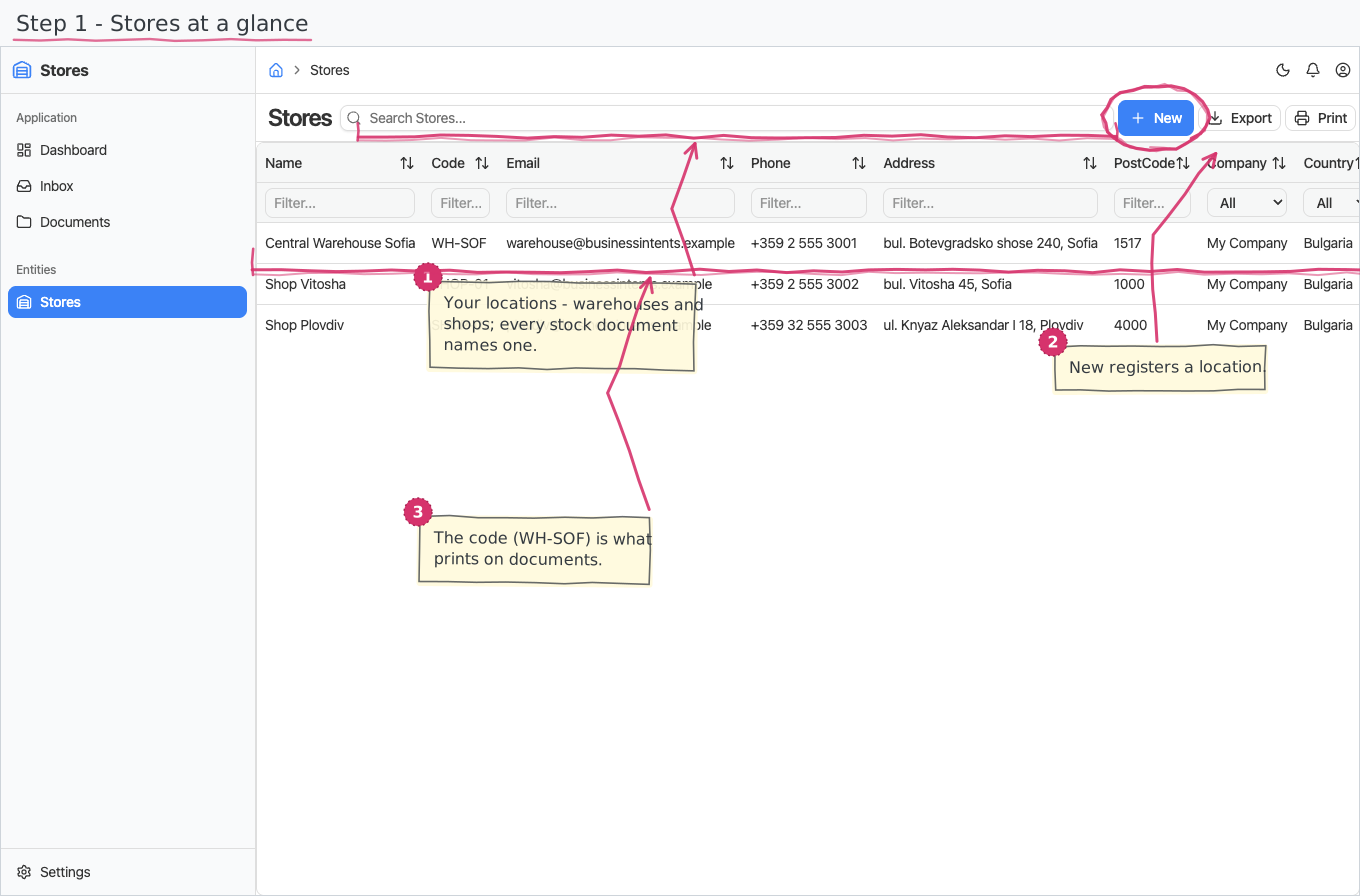
The register of your stores — warehouses and shops, the places stock is held and moved through.
Where you find it: the Registries sidebar group (its status nomenclature is on the Settings page). Bundled in Construction, Logistics, Retail and Wholesale; shown by every lens that includes the Registries group (Billing, Purchase, Store, Accounting).
The tour in pictures
What you can do
Stores
A store is a master-data record:
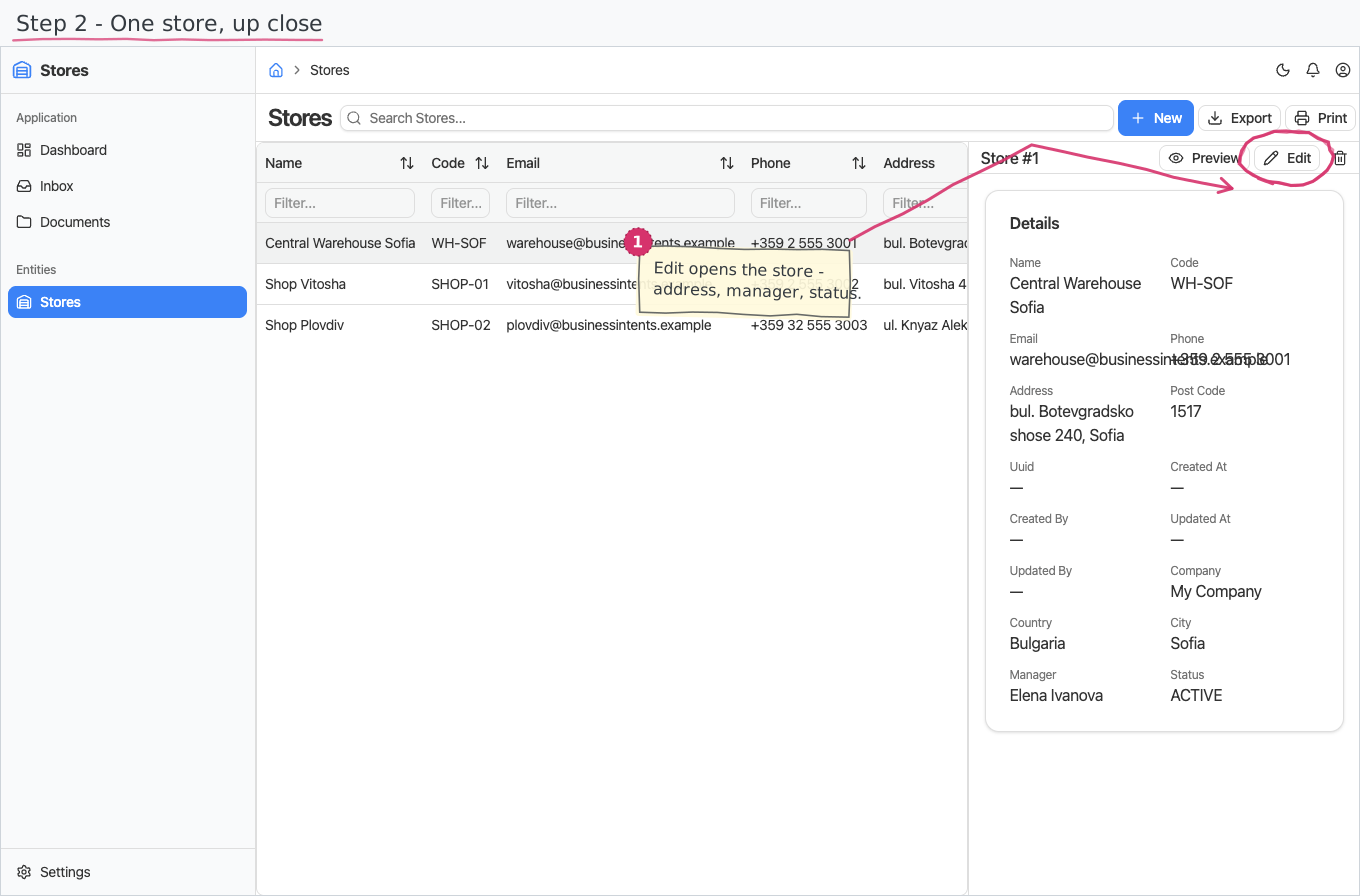
- Name is the only required field. Give it a short code (e.g. WH-SOF, SHOP-01) — the handle used on documents and the stock-availability report — plus e-mail, phone, address and post code as you have them.
- Owning company starts pre-filled with your base company. Pick the country first; the City dropdown then lists only cities of that country.
- Manager — optionally the employee responsible for the store.
- Status — new stores start ACTIVE; set INACTIVE or CLOSED when a location winds down.
Plain create/edit/delete — no numbering, no workflow.
Reports & dashboard
None of its own — per-store stock levels come from the Inventory module's Stock on Hand report.
Settings
- Store Statuses — the status nomenclature (ACTIVE, INACTIVE, CLOSED pre-seeded).
Shipped data
Statuses are pre-seeded (above); a new company starts with an empty store register. The optional demo-data companion adds 3 demo stores (a central warehouse and two shops) that the order/inventory demo documents reference.
Works together with
- Inventory — every goods receipt, goods issue, stock adjustment and ledger movement targets a store; on-hand availability is reported per store.
- Purchase Orders — an order names the store the goods are delivered into.
- Employees — the store manager; Companies — the owning company; Countries / Cities — the address dropdowns.