

Employees
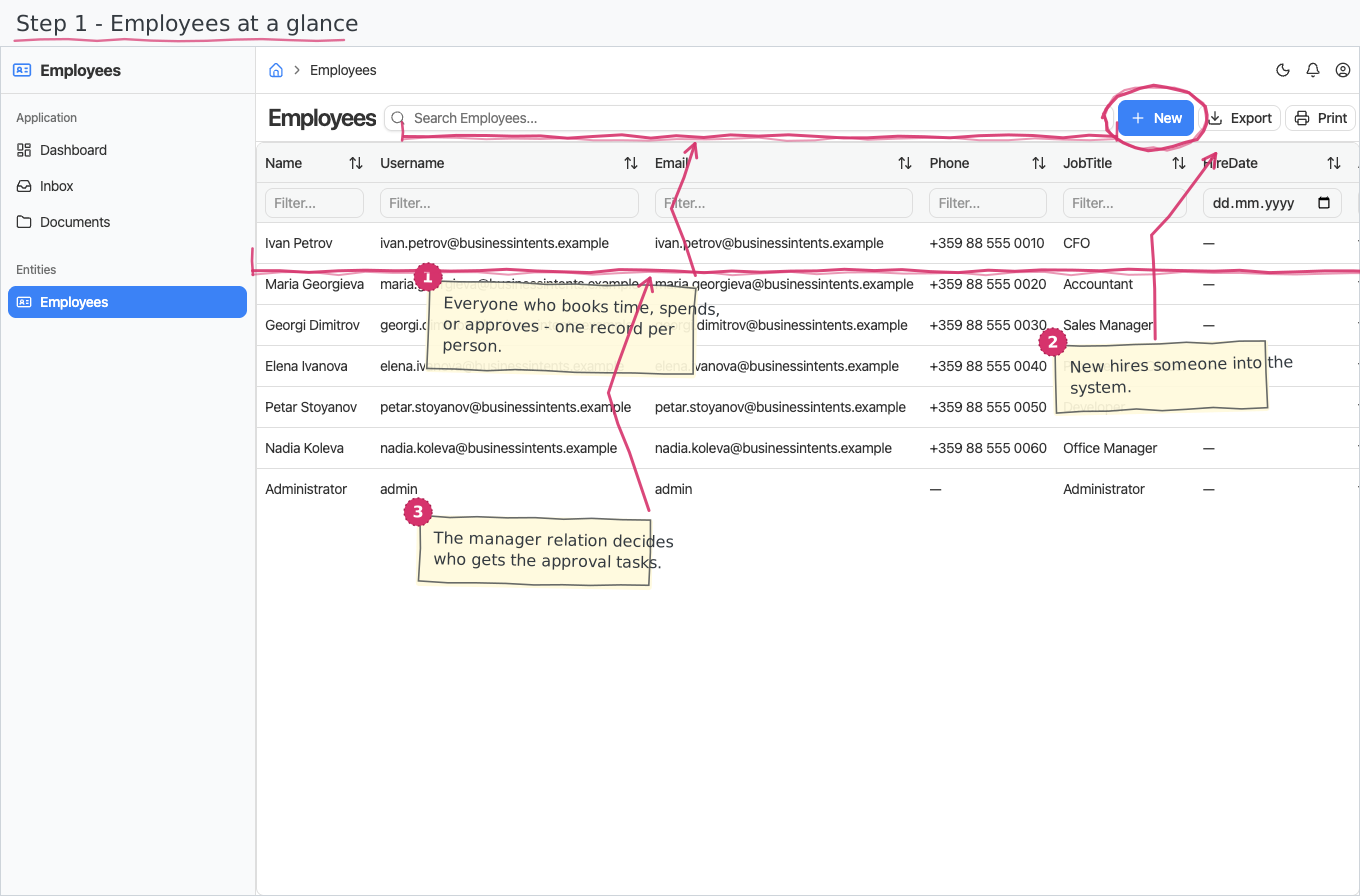
Your company's employee directory — one record per person, with their contact details, job title and reporting line. It is the register every people-related module (vacations, timesheets, expenses) picks its employees from.
Where you find it: the People sidebar group. Bundled in Construction, Logistics, Professional Services, Retail and Wholesale; shown by the Timesheets, Vacations, Expenses, Payroll and Store lenses.
The tour in pictures
The identity anchor
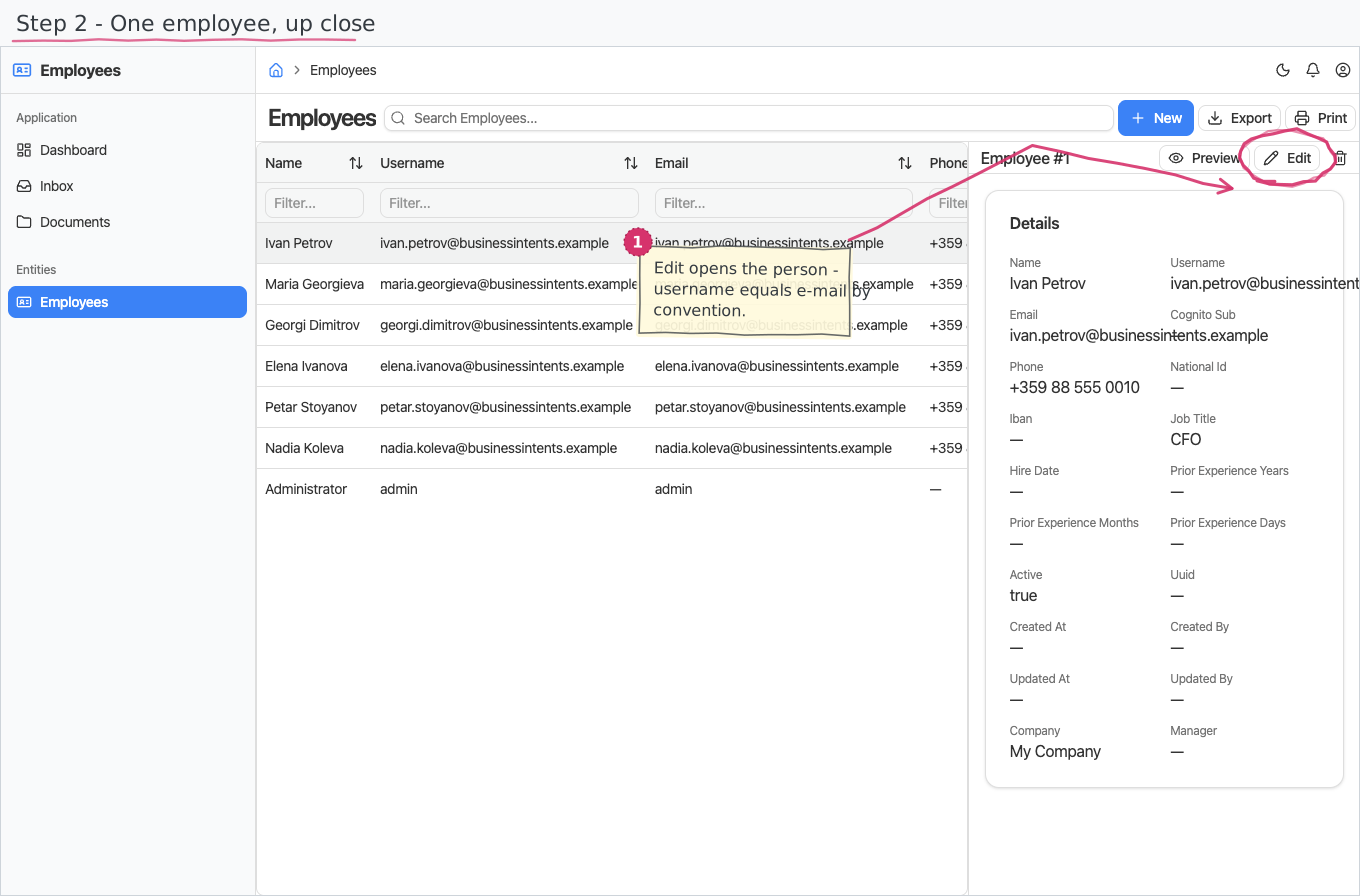
The employee record IS the login identity: the e-mail is matched against the signed-in username, and every personal ("My …") page in the suite — My Employee Timesheets, My Vacation Requests, the personal Inbox tasks — scopes itself through that match. No employee record for your login means empty personal pages, never an error.
What you can do
Employees
A plain list of people — no documents, no workflow:
- You enter the name, username and e-mail (both unique — by convention the username is the e-mail address, since it will double as the sign-in identity once single sign-on is wired), and optionally a phone and job title.
- The Company defaults to your base company; the Active flag defaults to on — untick it when someone leaves instead of deleting the record.
- Manager is an optional pick of another employee — the reporting line, used to route approvals (a vacation request or timesheet goes to the employee's manager).
- The hire date and the prior experience (years / months / days recognized from before joining, as in the трудова книжка) together give the professional experience Payroll computes the seniority bonus from. Leave the hire date empty and no seniority is computed for that person.
- The IBAN is the employee's salary account: when it is filled in, Payroll pays the net to the bank; without it, the payslip shows the net in cash. The format is checked as you type (and again on save). Like the national ID, it stays off list tables.
National ID
National ID holds whatever personal identification number your country issues — in Bulgaria the ЕГН, elsewhere the local equivalent. The field is deliberately named neutrally so the register works the same in any jurisdiction; in Bulgarian the form labels it ЕГН, because the interface language carries the local term.
It is kept off list tables — it appears on the employee's form and in the record details pane, never as a column you can sort or scan. Up to 32 characters, so any national format fits. There is no format check yet: the value is stored as you type it, and a Bulgarian ЕГН's ten-digit checksum is not validated.
Fill it in for employees you file statutory declarations for: the Bulgarian Д1 export in Payroll prints this value in its ЕГН column, and an employee without one still appears with the cell empty.
Because it is personal data, treat access to the Employees register itself as the control: anyone who may open an employee record can see it. Per-field hiding by role is not available yet.
Reports & dashboard
None — the module is a pure register.
Settings
None.
Shipped data
a new company starts with an empty directory. The optional demo-data companion adds six demo employees (username = e-mail) for trials and screenshots.
Works together with
- Companies — every employee belongs to a company.
- Vacations — entitlements and requests are per employee; the manager approves.
- Projects / Timesheets — employees are staffed on projects and book their hours.
- Expenses — expenses are filed by an employee.
- Payroll — the hire date + prior experience drive the seniority bonus, the IBAN decides the bank/cash split, and the Д1 export prints the national ID.