

Currencies
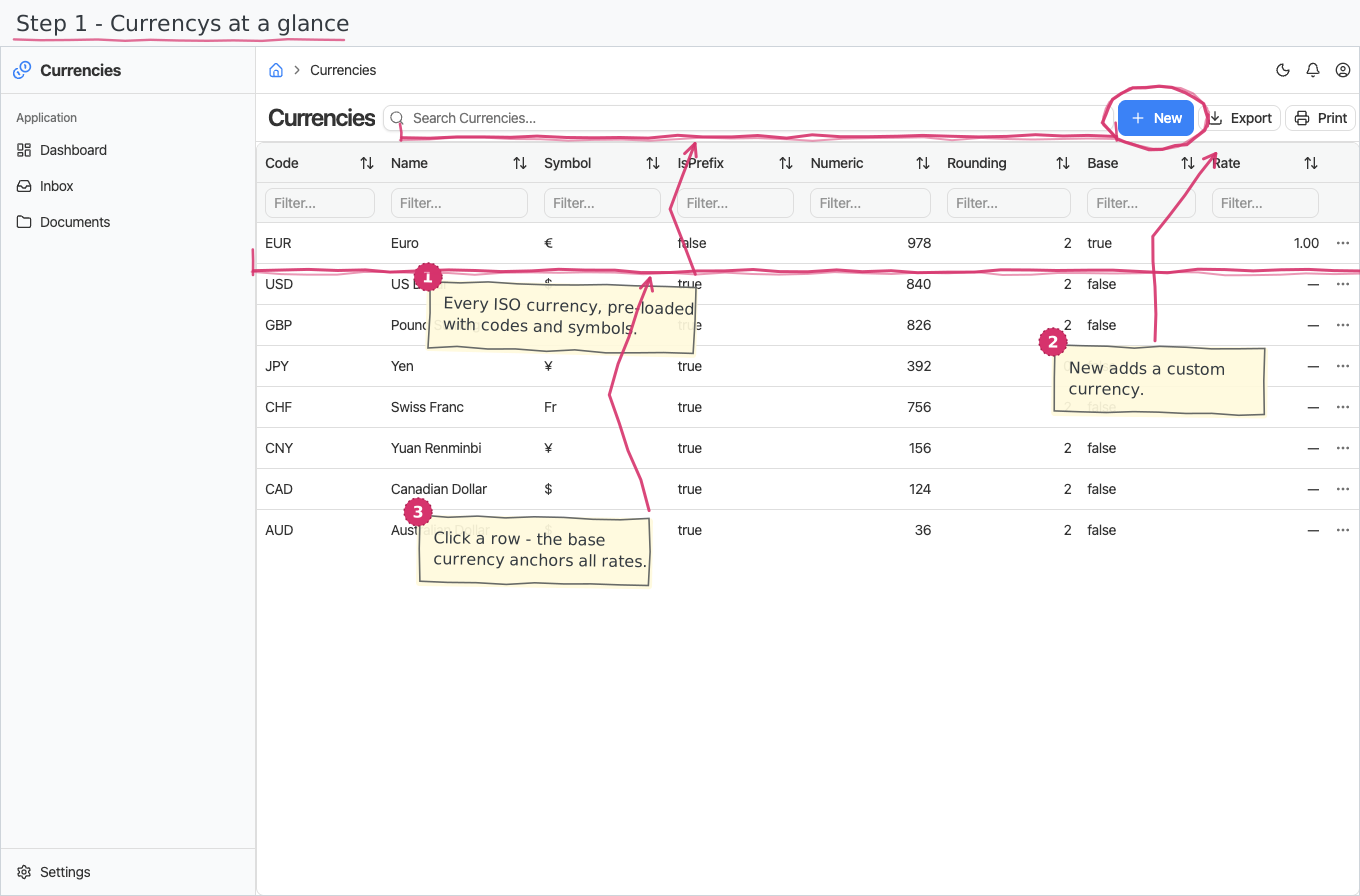
The currency registry (ISO 4217): which currencies your business uses, which one is your base currency, and their exchange rates — both a current rate per currency and a dated rate history.
Where you find it: the Registries sidebar group. Bundled in Construction, Logistics, Professional Services, Retail and Wholesale; shown by every lens that includes the Registries group (Billing, Purchase, Store, Accounting).
The tour in pictures
What you can do
Currencies
One row per currency you work in:
- Code and name — the ISO 4217 code (EUR) and the display name. Names are multilingual (translated per the UI language); the code stays the same everywhere.
- Symbol and symbol position — the sign (€, $) and whether it goes before or after the amount.
- Numeric code and rounding — the ISO numeric code and how many decimal places amounts in this currency use.
- Base — flag exactly one currency as your base currency; everything else is expressed relative to it.
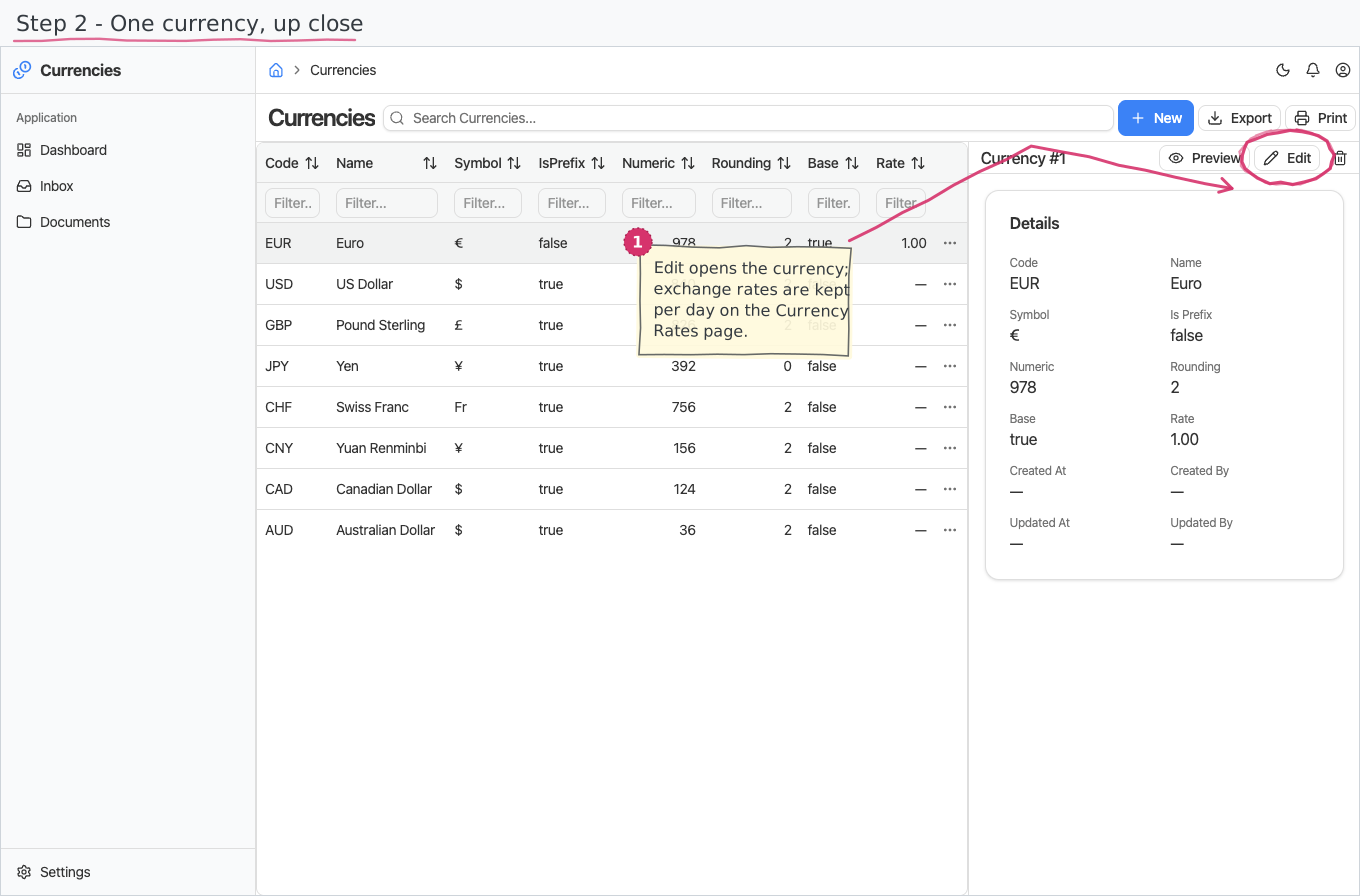
- Rate — the currency's current exchange rate against the base (up to 6 decimals). You do not type this in: it is maintained for you. Whenever you add, change or remove a Currency Rate row, this field is set to the rate of the newest dated row for that currency — so the register always shows today's rate while the history stays intact. Remove every rate row for a currency and the field goes empty again.
Changes to currencies are audited (who created/changed a row, and when, shows in the record's read-only details).
Currency Rates
A dated exchange-rate history: pick the Currency, enter the date and the rate. This is the authoritative record — the currency's own Rate field mirrors whichever row here has the newest date, so you maintain rates here and read them there. Adding a rate dated earlier than the newest one leaves the currency's Rate untouched, which is what you want when backfilling history.
Reports & dashboard
None — this is a plain registry.
Settings
No dedicated entries; the two registries above are the module's whole surface.
Shipped data
The reference-data companion preloads 8 currencies — EUR (the base, rate 1), USD, GBP, JPY, CHF, CNY, CAD and AUD — with symbols, numeric codes, rounding, and Bulgarian name translations for all of them.
Works together with
- Companies — each company profile picks its base currency here.
- Documents across the suite (invoices, payments, expenses…) carry a Currency picked from this registry.