

Customer Payments
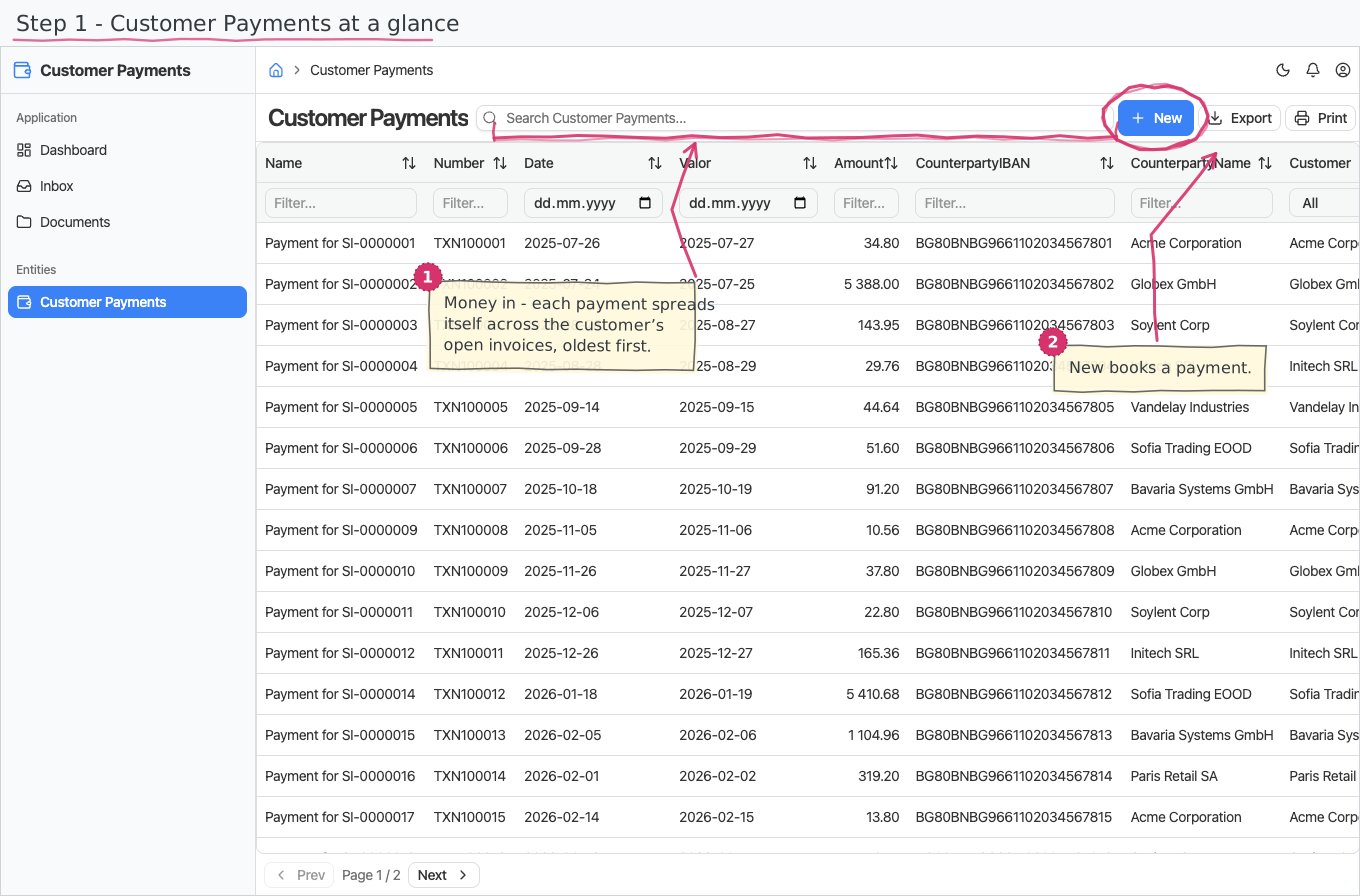
Record the money your customers send you, bank-statement style — each payment then settles itself against that customer's open invoices automatically.
Where you find it: the Sales sidebar group. Bundled in Construction, Logistics, Professional Services, Retail and Wholesale; shown by the Billing lens.
The tour in pictures
What you can do
Customer Payments
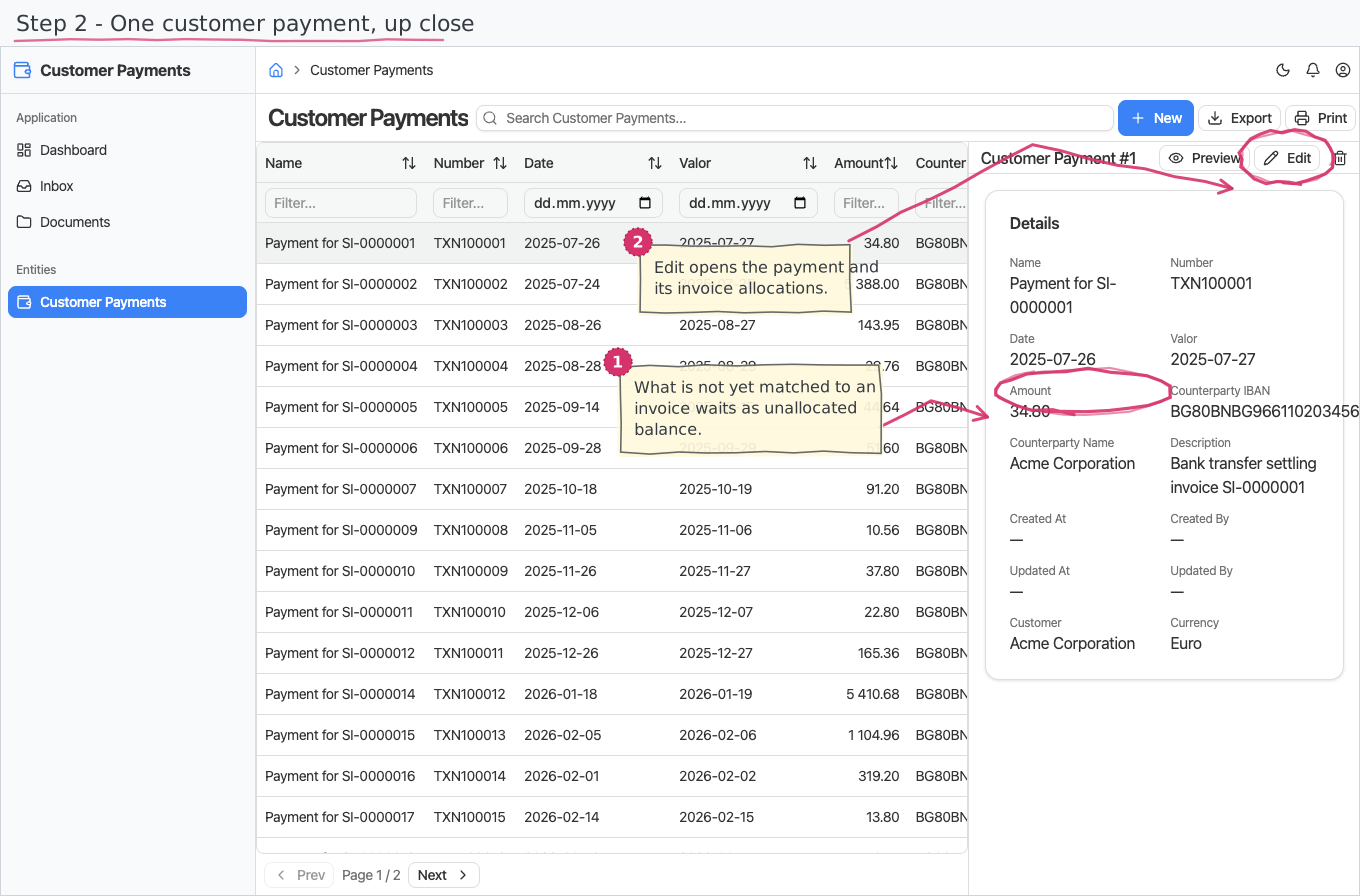
A payment mirrors a line on your bank statement:
- Name (required) — a short label, e.g. "Payment for SI-0000001".
- Number — the bank's transaction reference.
- Date (required) and Valor — the booking date and the value date, as the statement shows them.
- Amount (required).
- Currency — pre-filled from the receiving company's base currency (a new tenant ships EUR); a currency you pick yourself is respected. Allocation is exact-currency, so a payment whose currency does not match the invoice simply stays unallocated credit.
- Counterparty IBAN and Counterparty name — who sent the money, straight off the statement — plus a free-text description.
- Customer (required) — the register entry this payment belongs to.
- Company (required) — the legal entity that received the money; pre-filled with your base company. It is what the receipt posts against in the ledger.
- Method (required) — how the money arrived, pre-filled with Bank transfer. It decides whether the receipt lands in a cash or a bank account.
There is no workflow and no line items — a payment is a single record. What happens after you save it is the interesting part: the amount is allocated to that customer's open invoices automatically, oldest first, updating each invoice's Paid/Balance and flipping its status to PARTIAL or PAID. That allocation side — including manual allocations — is documented with the invoices, in Sales Invoices.
Reports & dashboard
None of its own — the paid/outstanding picture lives in the sales-invoices reports (Invoices by Customer, Overdue Invoices).
Settings
Nothing — the module adds no Settings-page entries.
Shipped data
a new company starts with no payments. The optional demo-data companion ships 21 demo payments (a year of bank transfers with IBANs and transaction numbers) matching the demo invoices, so a trial shows the settled/partial/paid states realistically.
Works together with
- Customers — every payment names its customer; Currencies — the payment's currency.
- Sales Invoices — payments auto-allocate to the customer's open invoices (matching customer and currency) and drive the PARTIAL/PAID statuses.