

Customers
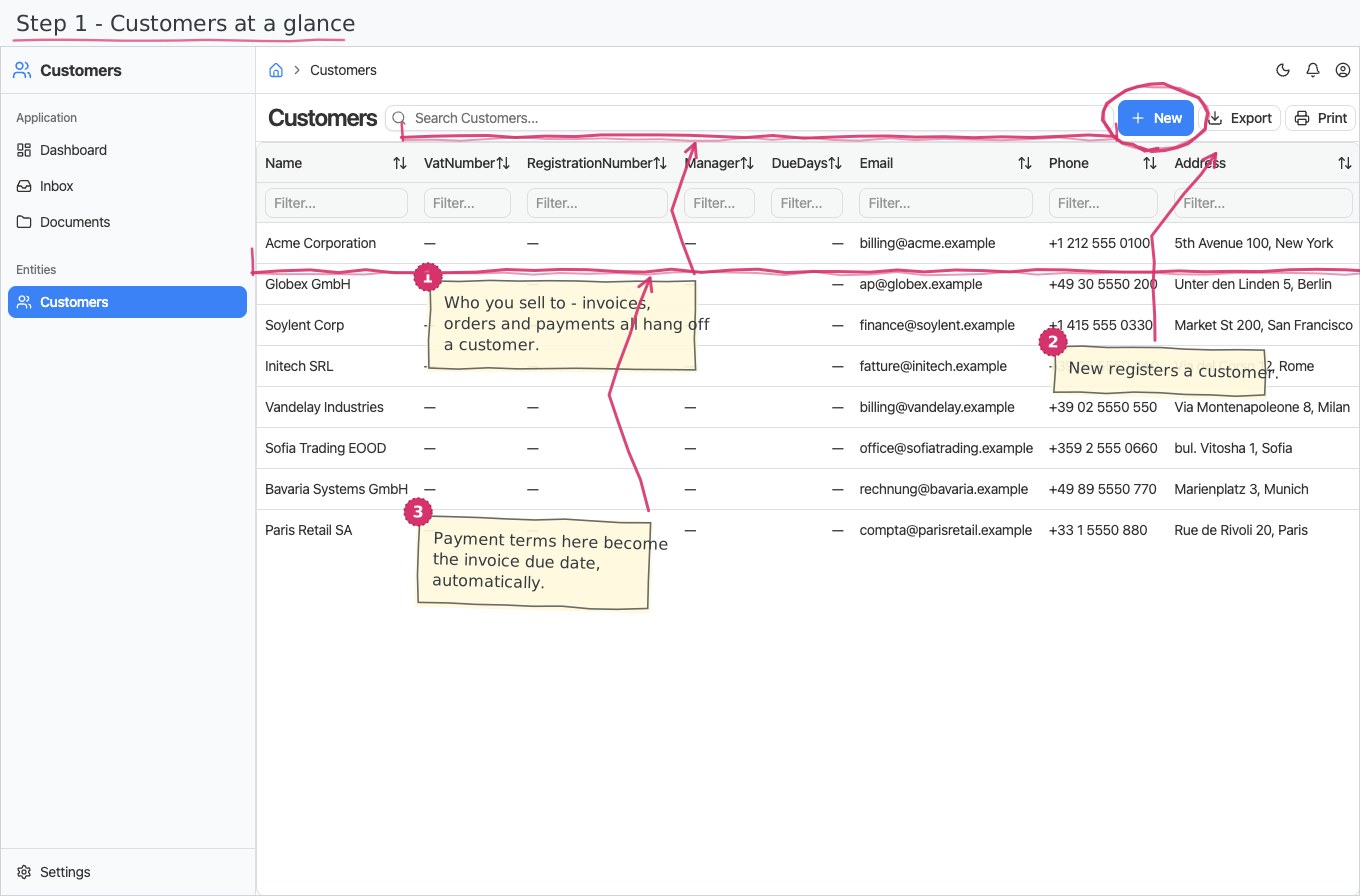
Your customer register: who you sell to, with their contact and billing details — the counterparty picked on every sales document and payment.
Where you find it: the Sales sidebar group. Bundled in Construction, Logistics, Professional Services, Retail and Wholesale; shown by the Billing, Timesheets and Store lenses.
The tour in pictures
What you can do
Customers
A plain register — no workflow, no line items. For each customer you fill in:
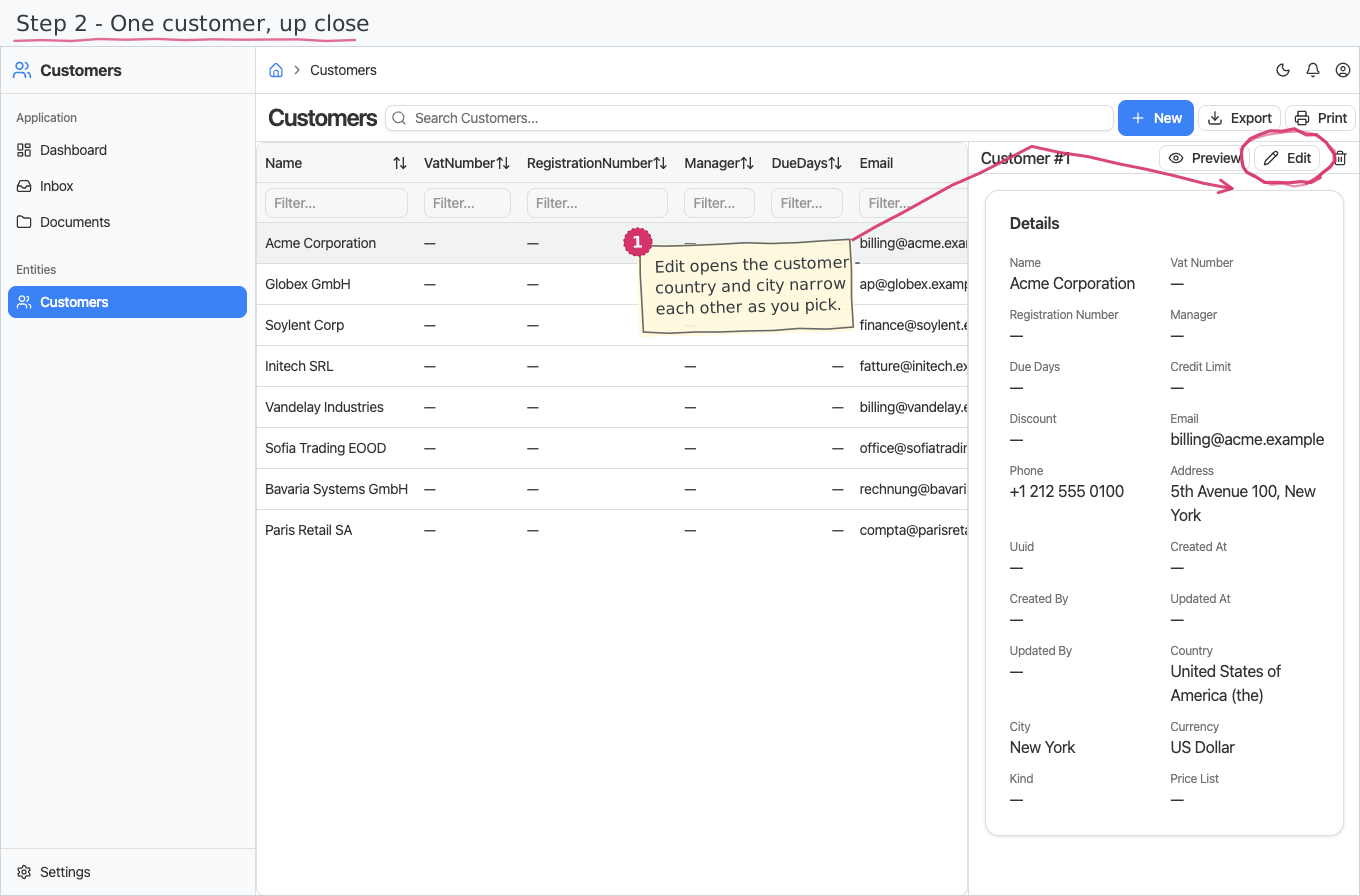
- Name (required), VAT number and registration number (EIK/bulstat — companies keep both identifiers), e-mail, phone and address.
- Manager — the customer's authorized person (MOL), printed as the recipient on documents issued to them.
- Payment terms (due days) — how many days the customer has to pay: a new sales invoice's due date fills itself with the invoice date plus this number (leave the terms empty and the due date stays manual).
- Credit limit — the maximum open receivable you allow this customer (leave empty for no limit). Enforced when a sales invoice is issued: over the limit, the invoice parks on a Credit Hold task instead of issuing silently — see Issue a sales invoice.
- Country and City — picking the country narrows the city dropdown to that country's cities (a cascading pair from the shared countries registry).
- Currency — the customer's currency.
- Kind — Business (default) or Individual: individuals are the walk-in case without a company tax id.
- Price list — which product price level applies for this customer (Wholesale, Retail — the default — Sale, Offered or Special), and a default discount percentage. Today they inform pricing (and reports); automatic per-line application follows with the platform's price resolution support.
Reports & dashboard
None of its own. Customer-based reports live in the document modules (e.g. Invoices by Customer, Orders by Customer).
Settings
- Price Lists — the price-level nomenclature (Wholesale, Retail, Sale, Offered, Special pre-seeded; names translated to Bulgarian).
- Customer Kinds — Business / Individual (pre-seeded; names translated to Bulgarian).
Shipped data
a new company starts with an empty register. The optional demo-data companion ships 8 demo customers (Acme Corporation, Globex GmbH and friends, complete with addresses, countries, cities and currencies) that the other demo modules' documents reference.
Works together with
- Countries / Currencies — the registries behind the country, city and currency pickers.
- Sales Invoices, Sales Orders, Delivery Notes, Customer Payments, Appointments — every one of them picks its counterparty from this register.