

Suppliers
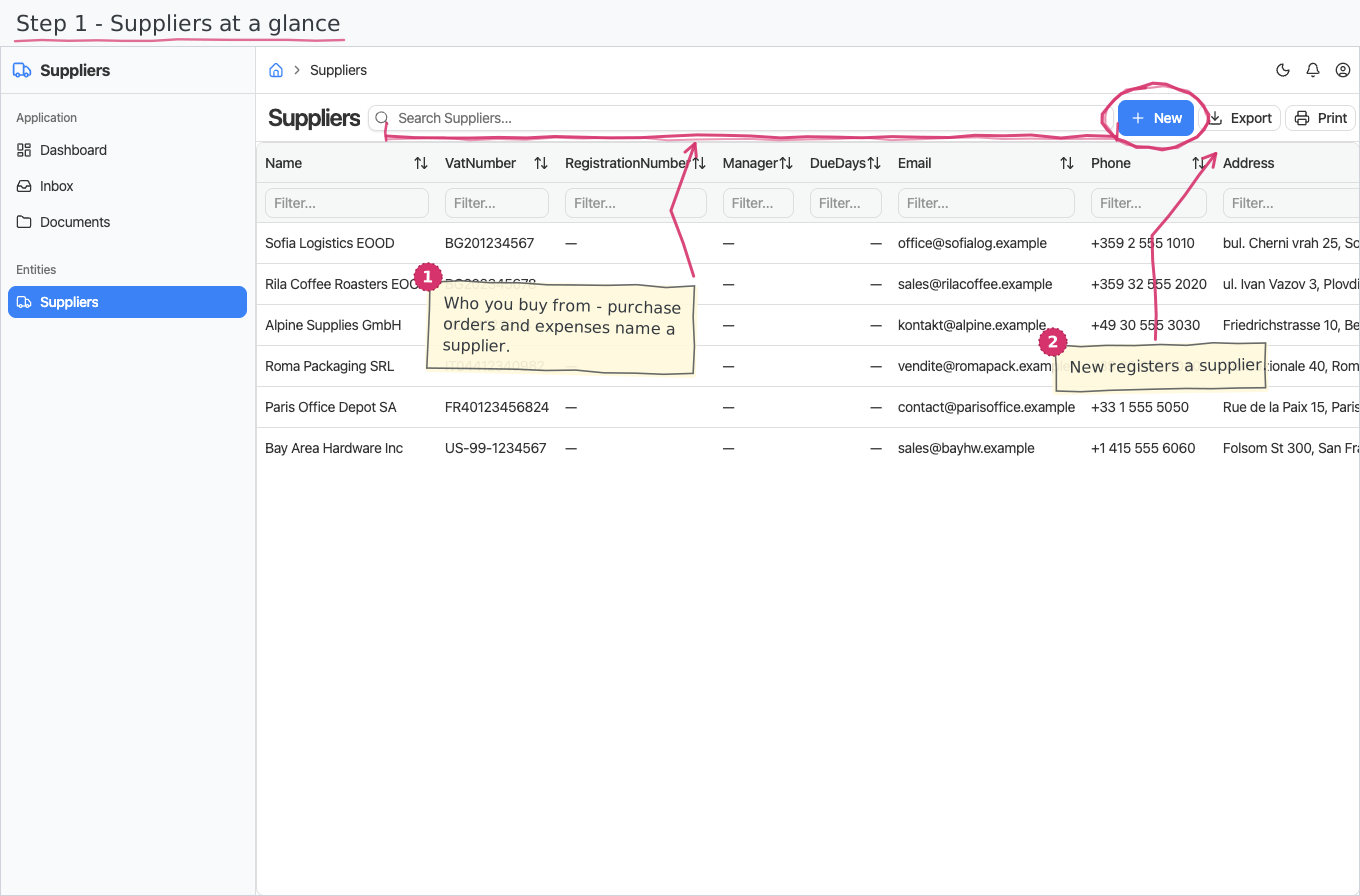
The supplier (vendor) register — the companies you buy from, referenced by purchase invoices, purchase orders, expenses and goods receipts.
Where you find it: the Purchases sidebar group. Bundled in Construction, Logistics, Professional Services, Retail and Wholesale; shown by the Expenses, Purchase and Store lenses.
The tour in pictures
What you can do
Suppliers
A supplier is a simple master-data record:
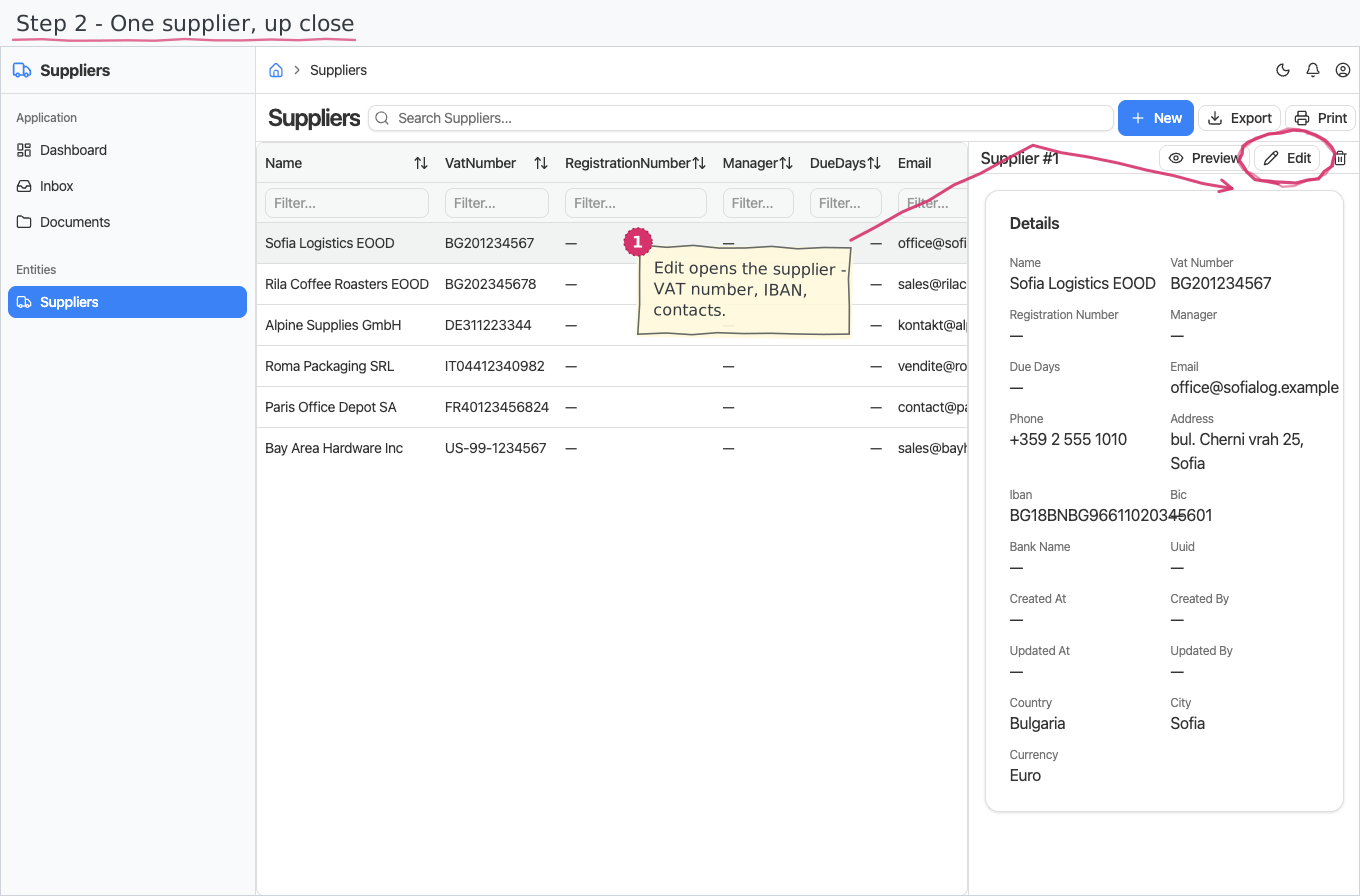
- Name is the only required field. Add the VAT number and registration number (EIK/bulstat), e-mail, phone and address as you have them.
- Manager — the supplier's authorized person (MOL), printed as the counterparty contact.
- Payment terms (due days) — how long the supplier gives you to pay their invoices.
- Bank details — IBAN, BIC and bank name, so you can pay them.
- Country and city — pick the country first; the City dropdown then lists only cities of that country.
- Currency — the supplier's usual trading currency.
That's it — plain create/edit/delete, no numbering, no workflow.
Reports & dashboard
None of its own — supplier spend shows up in the purchase-invoice and purchase-order reports (Spend by Supplier, Orders by Supplier).
Settings
Nothing — the module adds no Settings-page entries.
Shipped data
a new company starts with an empty supplier register. The optional demo-data companion adds a handful of demo suppliers (logistics, office-supply, utility, software vendors) for trials.
Works together with
- Purchase Invoices and Purchase Orders — the supplier is the required counterparty on both documents.
- Expenses — an expense can optionally name the supplier/merchant it was paid to.
- Goods Receipts (Inventory) — a receipt can record which supplier delivered the goods.
- Countries / Cities and Currencies — the shared registries behind the dropdowns.